
Summary:
Brento is not your typical email marketing platform. After extensive testing, I found it to be a powerful, developer-friendly tool that prioritizes automation and data over drag-and-drop simplicity.
It offers incredible value with a flat pricing model and a built-in AI assistant, Tanuki, that feels like a 24/7 support agent. However, it’s not for everyone. If you’re looking for a plug-and-play solution with little learning curve, look elsewhere.
But if you want total control and artisanal-level detail in your campaigns, Bento might be the hidden gem you’ve been looking for.
- 30-day free trial
- Active user community
- Free personalized onboarding call with the founder
- Built-in AI for creating HTML emails in seconds
- Can replace multiple marketing apps (email + SMS + forms + CRM)
- Powerful and intuitive email automation and segmentation
- Helpful AI assistant (Tanuki) that works like a 24/7 support
- All features are included in all plans
- No free plan
- Challenging navigation
- Work email needed to sign up
- A credit card is required for signing up
- At some point, some technical experience is required
- Learning curve is steeper compared to competitors
- It can be challenging to get everything working when switching from another platform because of Bento’s different way of doing email marketing
It’s always refreshing to see new marketing software enter the market, especially one that genuinely tries to do things differently. That’s the best description of Bento I can give. Its AI-first nature immediately reminded me of Airops, Jasper, and other tools that are pushing the boundaries of what marketing tech can do.
I signed up for Bento expecting another Klaviyo alternative. What I found instead was a platform that treats email marketing like a developer tool—and I mean that in both a good and challenging way.
First impressions? The interface is complicated. Even with my background in email marketing, I found myself pausing to figure out what’s what. Bento doesn’t explicitly advertise itself as a tool for developers, so that this technical depth might come as a surprise to the average Joe.
However, once you get the hang of it, the logic starts to click. The interface begins to make sense, and the AI assistant does most of the heavy lifting in simplifying complex parts.
While it’s undoubtedly a steep climb, the view from the top offers a level of control that most user-friendly platforms simply cannot match.
 Image via Bento
What is Bento?
Bento is a marketing automation platform designed for those who want to go beyond basic newsletters. Also, it positions itself differently from the industry giants. As the founder puts it, Bento is an “artisanal provider”, akin to a high-end coffee shop.
The tool comes packing: email marketing, SMS, and CRM capabilities in a single suite. One of the most valuable features is their AI-first approach. Bento recently launched an AI email marketing assistant named Tanuki, which helps a great deal in figuring out the platform.
While Tanuki is beneficial even as a chatbot, you’d be wrong to think that’s all it is. Aside from chatting, it also helps build flows and answer technical queries in real-time. You don’t need to wait until the support agents make time to answer you. It’s a truly modern tool.
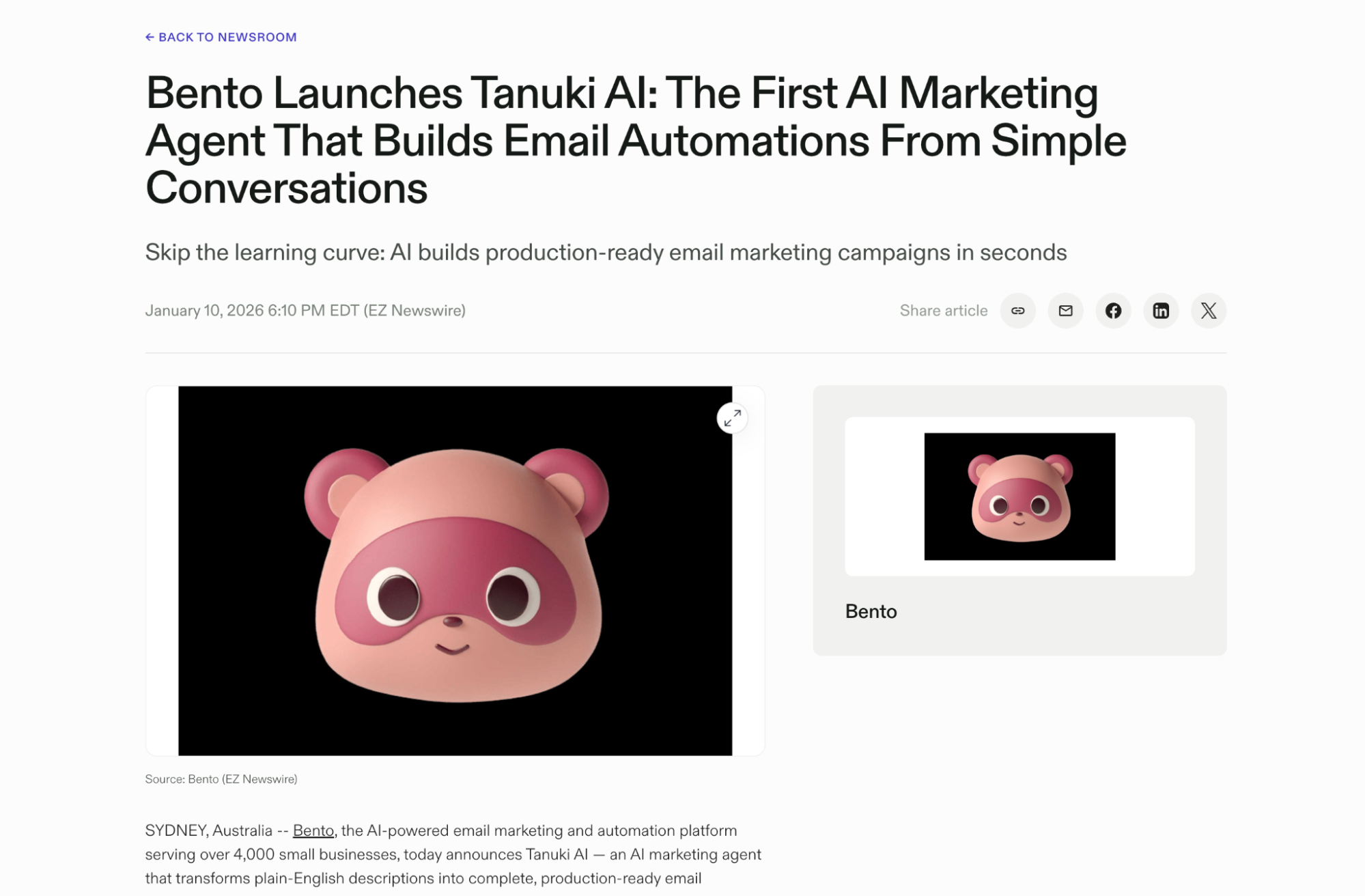 Image via Eznewswire
Is Bento email marketing right for your business?
Bento positions itself as a modern alternative to Klaviyo and Mailchimp, and allows some Shopify integrations. But before I get to the details (there’ll be a lot), let’s make sure I don’t waste your time. Sugarcoating aside, Bento is not a one-size-fits-all solution.
While I was testing the platform, I noticed clearly that you need to be a tech-savvy marketer. Otherwise, it’s unlikely that you’ll be able to make the most of it. It’s not enough to have dabbled with Klaviyo, Omnisend, or Mailchimp in the past.
You need coding experience, an understanding of AI application possibilities, a passion for tweaking automations, and active participation in user communities to ask questions (or help others). If that’s you, you may have found a tool that’s your match.
In short, Bento seems to be best suited for:
- Technical ecommerce merchants who want tight control over flows, events, and data, not just drag-and-drop editors.
- SaaS and product‑led businesses that send simple, HTML-based transactional emails and need high deliverability rates
- Service-based businesses. Consulting, professional services like real estate agents and marketing agencies
Bento is a good fit for you if you’re:
- A tech-savvy marketer who loves data, automation, and customization
- Content creator building a direct audience relationship
- Online course creator or educator with email sequences
- Event organizer managing attendee communications
- SaaS marketer focused on lifecycle campaigns and product-led growth
Bento is NOT a good fit for you if you:
- Run a Shopify store and need plug-and-play ecommerce integrations
- Manage an ecommerce store without technical resources or developer support
- Need extensive pre-built templates and want minimal setup time
- Prefer visual, drag-and-drop tools over code-friendly platforms
Bento pricing: how much does it cost?
The pricing structure is as transparent as it gets, which is definitely a green flag. It’s unlikely that you’ll face hidden fees or otherwise unfair treatment. You can see everything you’re paying for upfront.
Here’s the breakdown:
- Pricing is based strictly on subscribers (or users, as they call them).
- There are no tiers, add-ons, or locked features.
- CRM is included in the price.
- You can request a price match for your current email marketing platform.
- Annual pricing is available upon request; there’s no information on annual-subscription discounts.
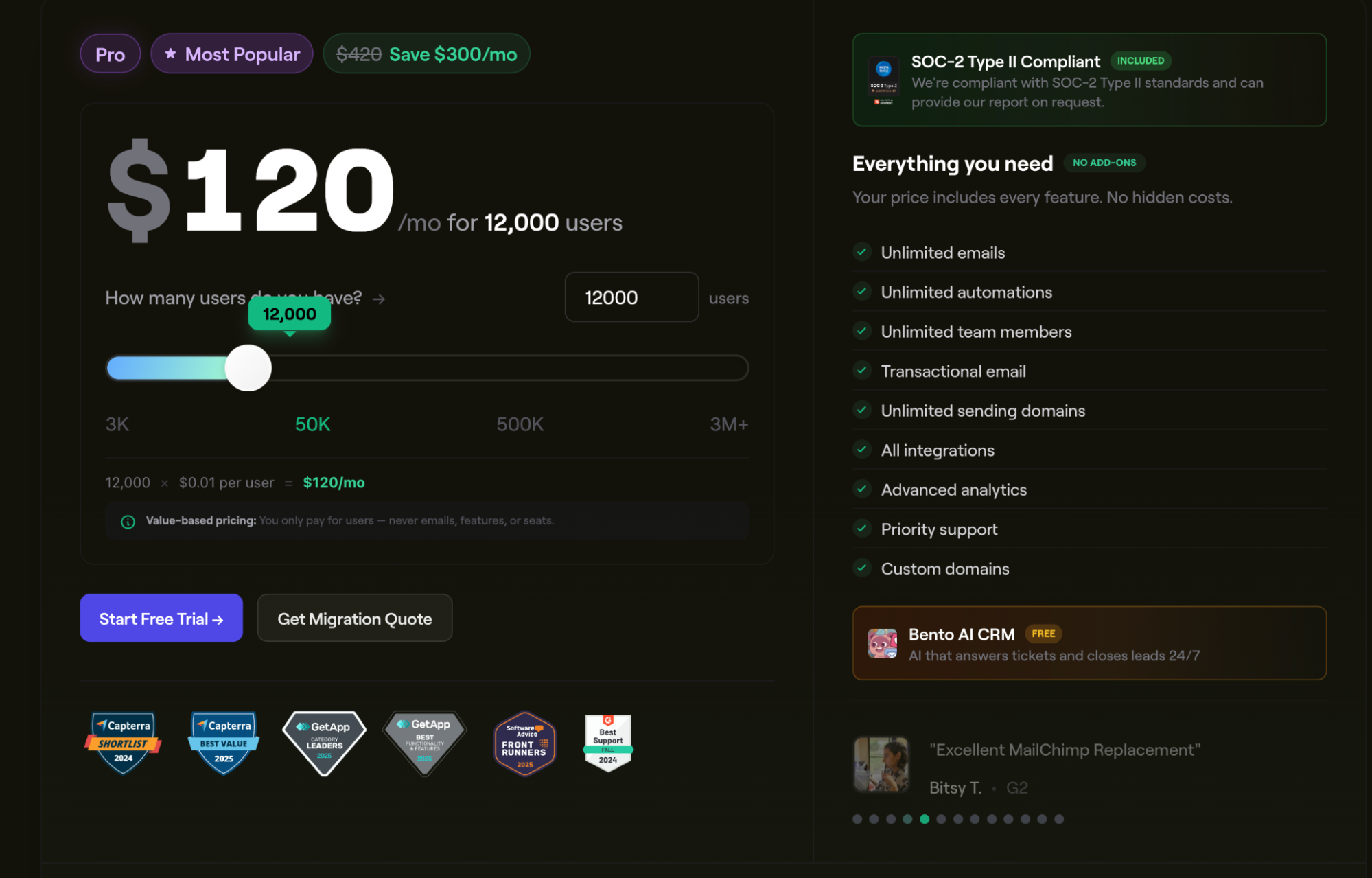 Image via Bento
What you’ll actually pay at different list sizes:
Note: Prices as of January 18th, 2026
When Bento’s pricing works against you
While the flat rate is excellent for many, there are some scenarios where this model isn’t ideal:
- You have an extensive, inactive list. If you have a massive list of 100k subscribers but only email them once a quarter, you’re better off finding cheaper “pay-as-you-go” options elsewhere.
- You’re just starting. If you have fewer than 500 subscribers, there are tools like Omnisend that offer free plans (not trials) you can use. There’s no need to pay $30 a month.
Discounts for early-stage startups and non-profits
While no specific discount rates are provided, Bento does offer special prices for early-stage startups and non-profit organizations. By talking to their AI agent, I’ve learned that the numbers can reach up to 50% for non-profits, and startups are looking at extended free trials or custom discount rates.
If you fall into one of these categories, you should reach out to their support team. Once they’ve evaluated your specific case, you might get a more attractive offer.
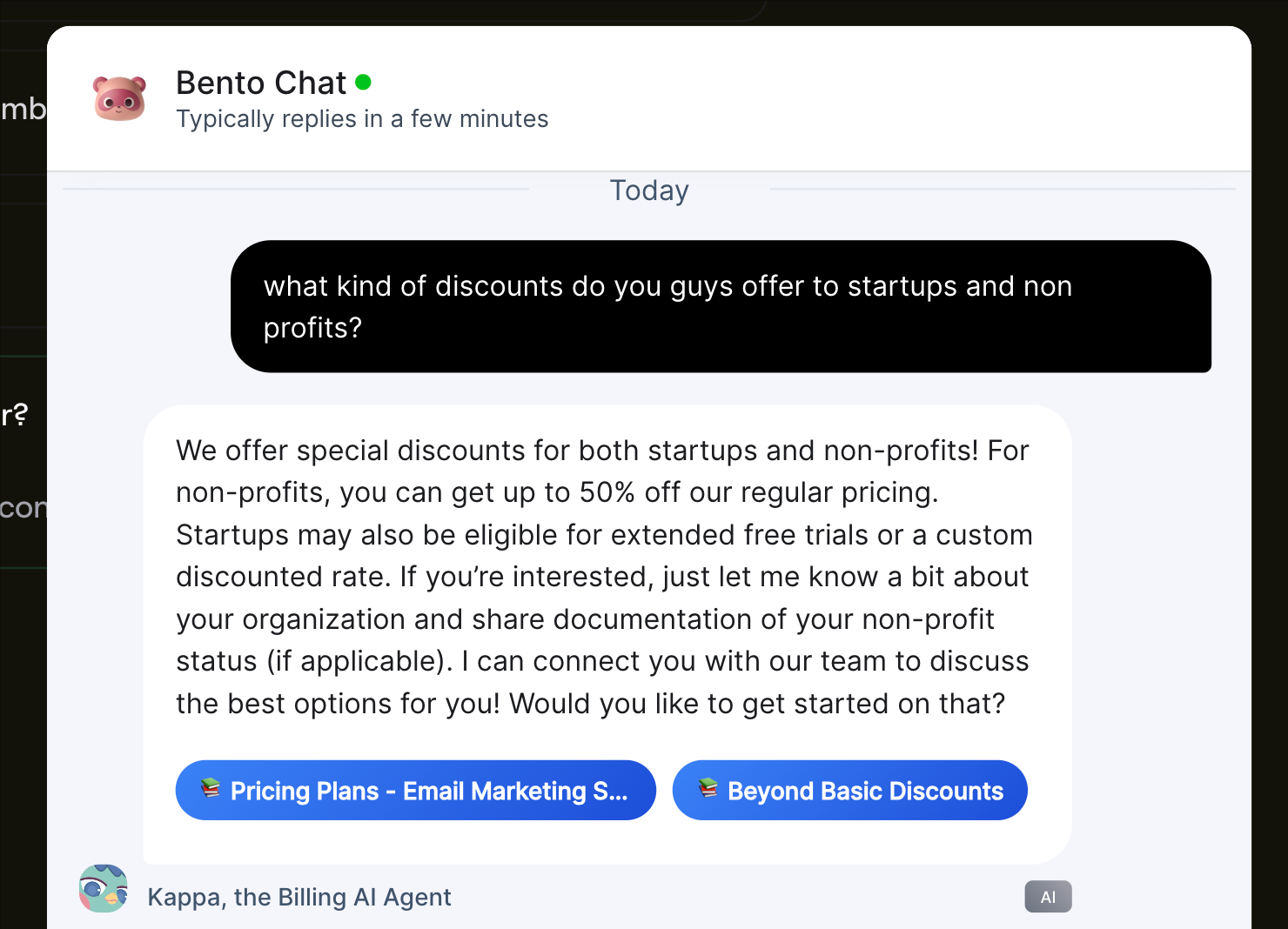 Image via Bento
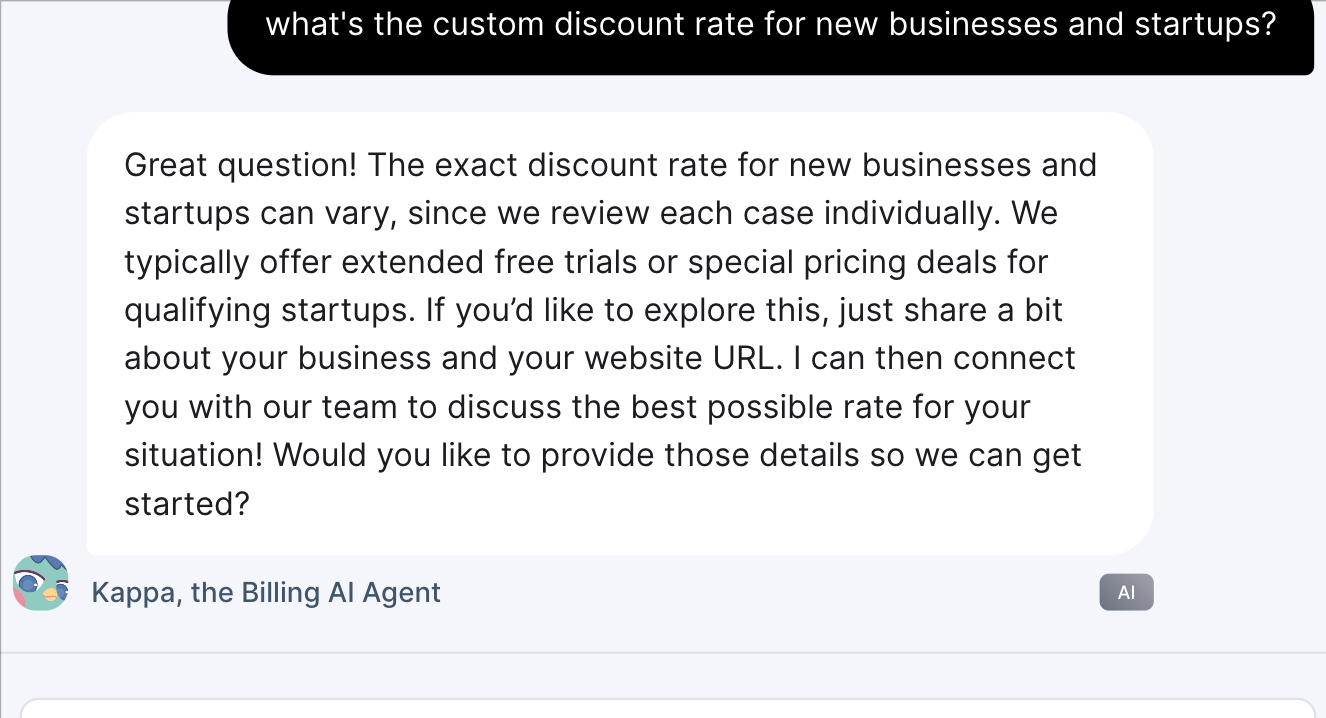 Image via Bento
What can you do with Bento?
Bento acts as a comprehensive command center for customer data and communication. If you tried any other platforms, they tend to fragment these features into different add-ons. Bento, however, consolidates them all into a single ecosystem.
Here’s an overview of the core capabilities included in every plan:
How easy is Bento to use?
Bento has a steep learning curve; there’s no point in sugarcoating it. But once you understand the logic behind it, you’ll notice that the platform is actually intuitive. That’s especially true if you learn to lean on the AI assistant to do the heavy lifting.
Also, it’s important to note that Bento doesn’t feel like your standard SaaS tool. It’s more of a workspace simulation that’s built by developers, for developers. And once you accept and adapt to that, it becomes valuable for marketers, too.
Onboarding
The onboarding experience left me with mixed feelings. On one hand, there was a personal touch, which is nice. On the other hand, there was too much unnecessary friction.
When signing up for Brento, you’ll get a personal greeting from its founder, Jesse, who will share a bit about their mission, values, and how to make the most of the platform. That’s almost like having a personal onboarding specialist, which I liked.
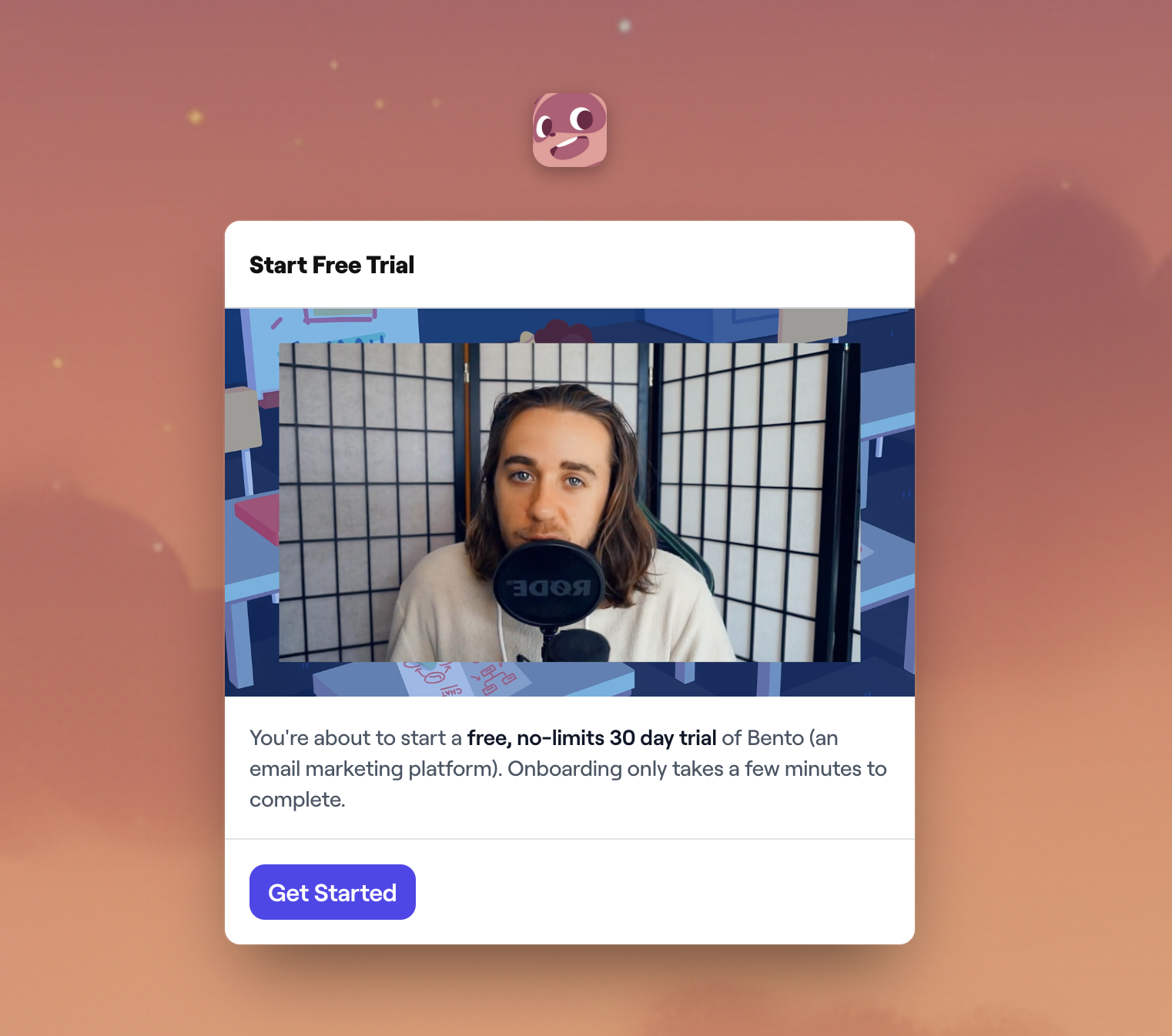 Image via Bento
Unfortunately, once you start the process, the barriers begin coming up. Here’s what they ask of you upfront:
- Business email only. You cannot sign up with Gmail, Yahoo, or any other everyday email address. It’s understandable for filtering serious businesses, but it’s rather inconvenient for someone just testing the waters.
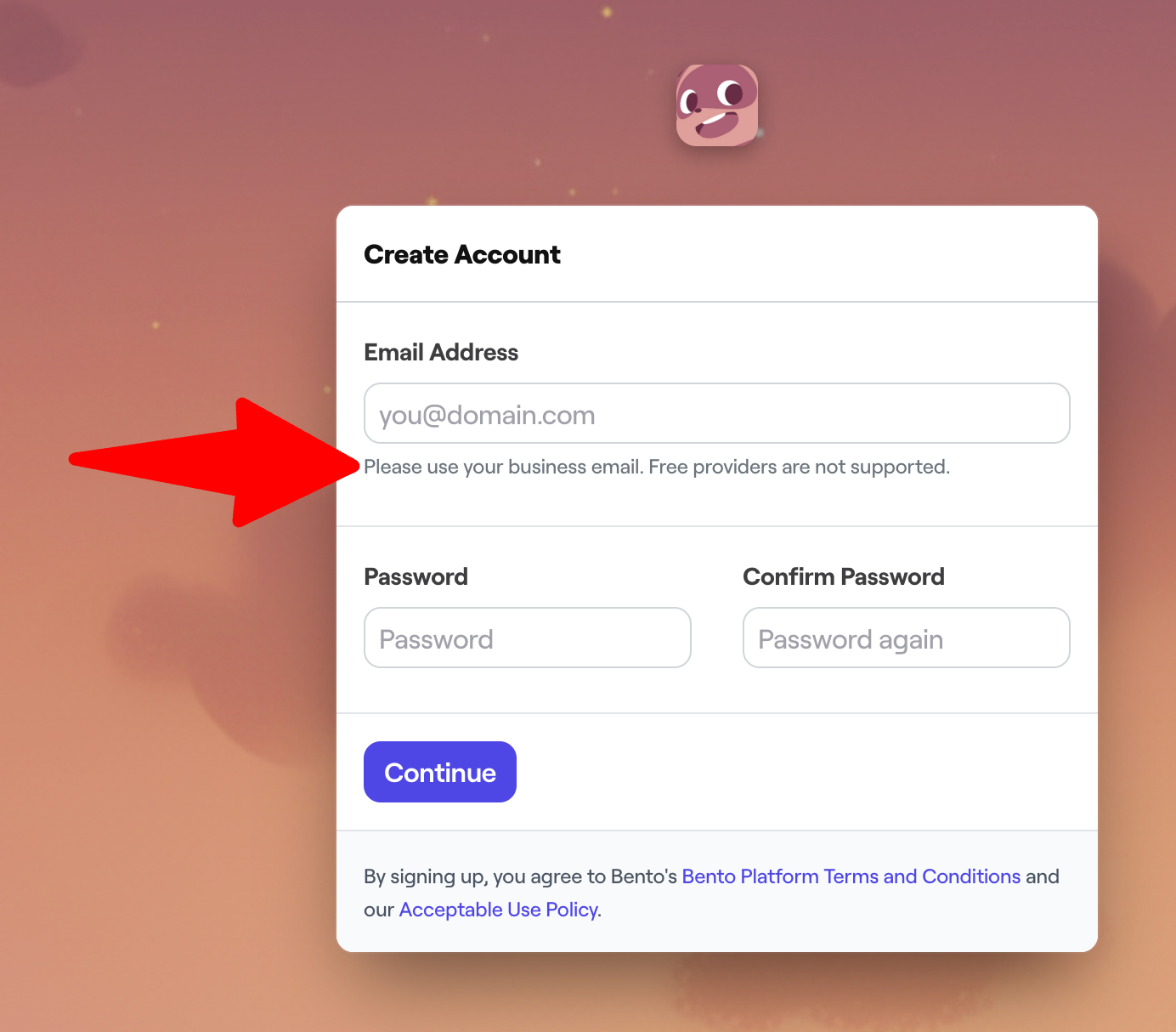 Image via Bento
- Credit card required. Even for the free trial, you must enter credit card details. As you can see below, they provide a coupon, so you do indeed get the free trial, but the step alone can be a psychological block for many.
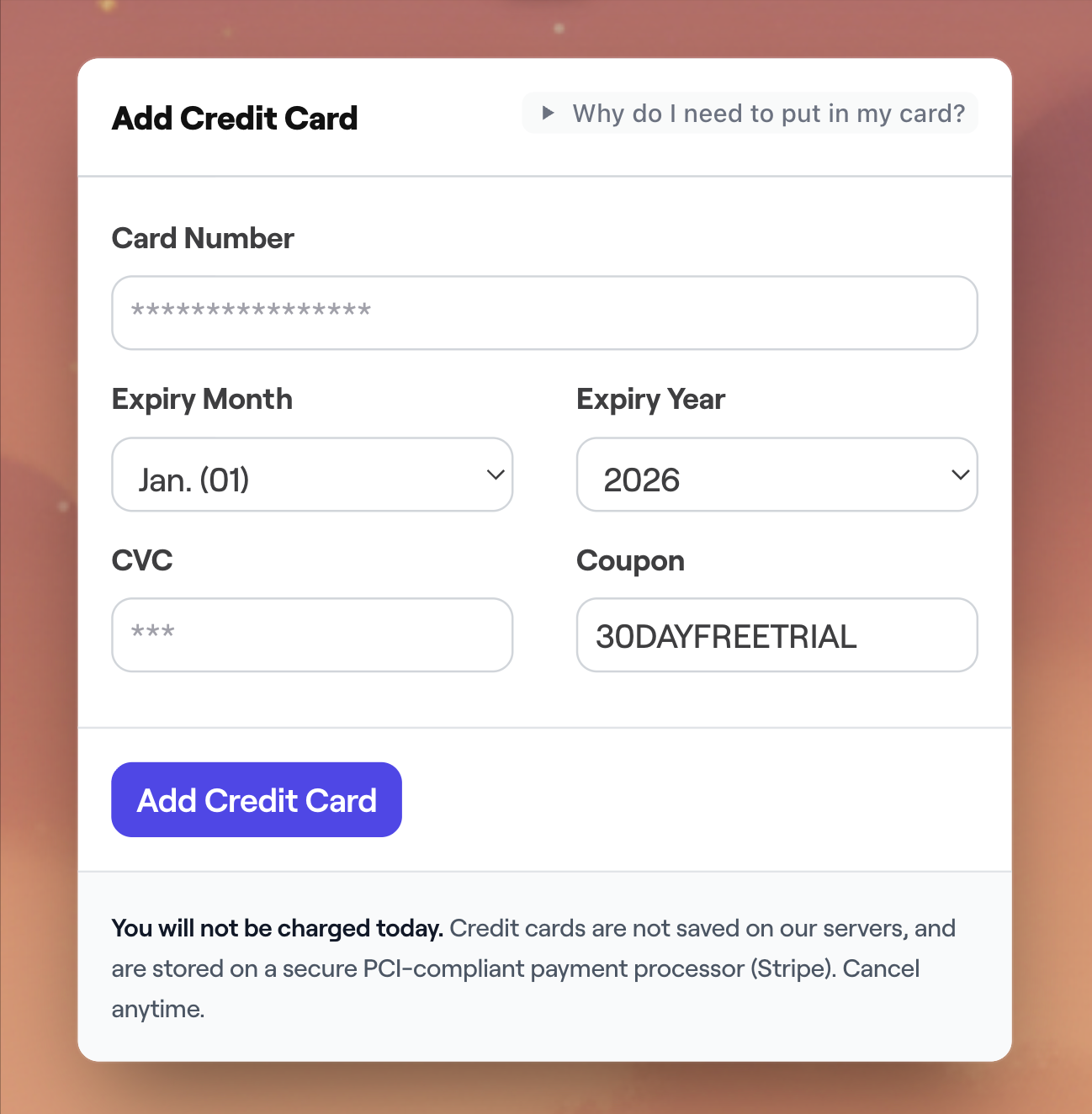 Image via Bento
- Account deactivation. If you decide to deactivate your account, it won’t be so simple. You’ll have to wait for their approval, which is even more inconvenient and should be simplified.
- Account approval. One aspect that probably frustrated me the most was that, after providing my credit card details, I received an email saying my account was now in the approval queue. Also, without the approval, you only get limited access to emails and features.
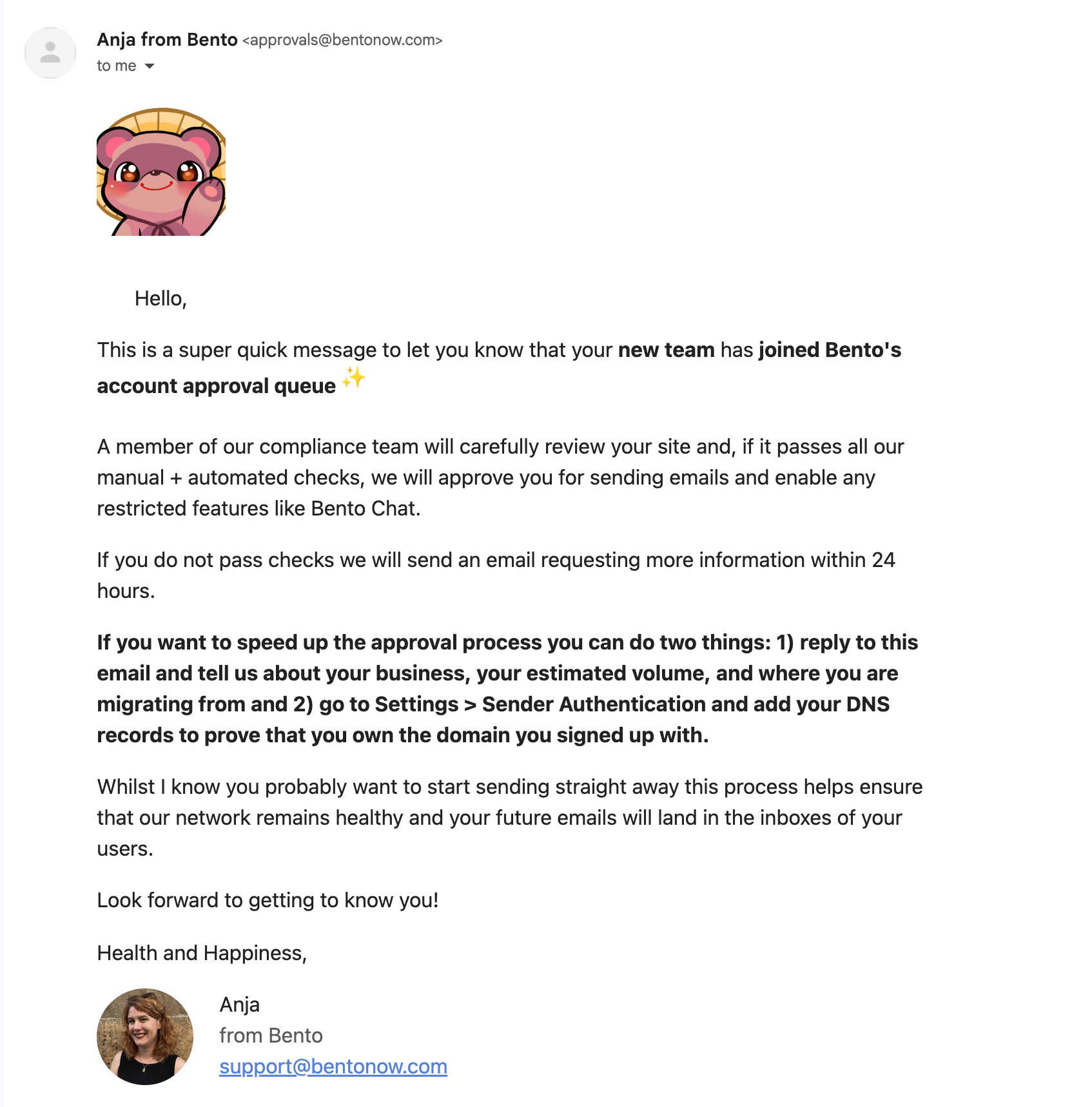 Image via Gmail
In all fairness, I signed up at around 1 PM CET and couldn’t send test emails until significantly later. In fact, I deactivated my account at around 4 PM (three hours later), and the approval was still pending.
Getting help
If you’re feeling stuck, you can get a complimentary demo from Jesse, the founder. It’s a nice touch, but there’s a caveat: logistics.
Since the founder is based in Japan, most available slots are only for Australia and the Pacific. When I looked for a slot, my options were 6 AM or 11 PM, which is either super early or super late. If you’re in the USA or the EU, booking a live demo is challenging.
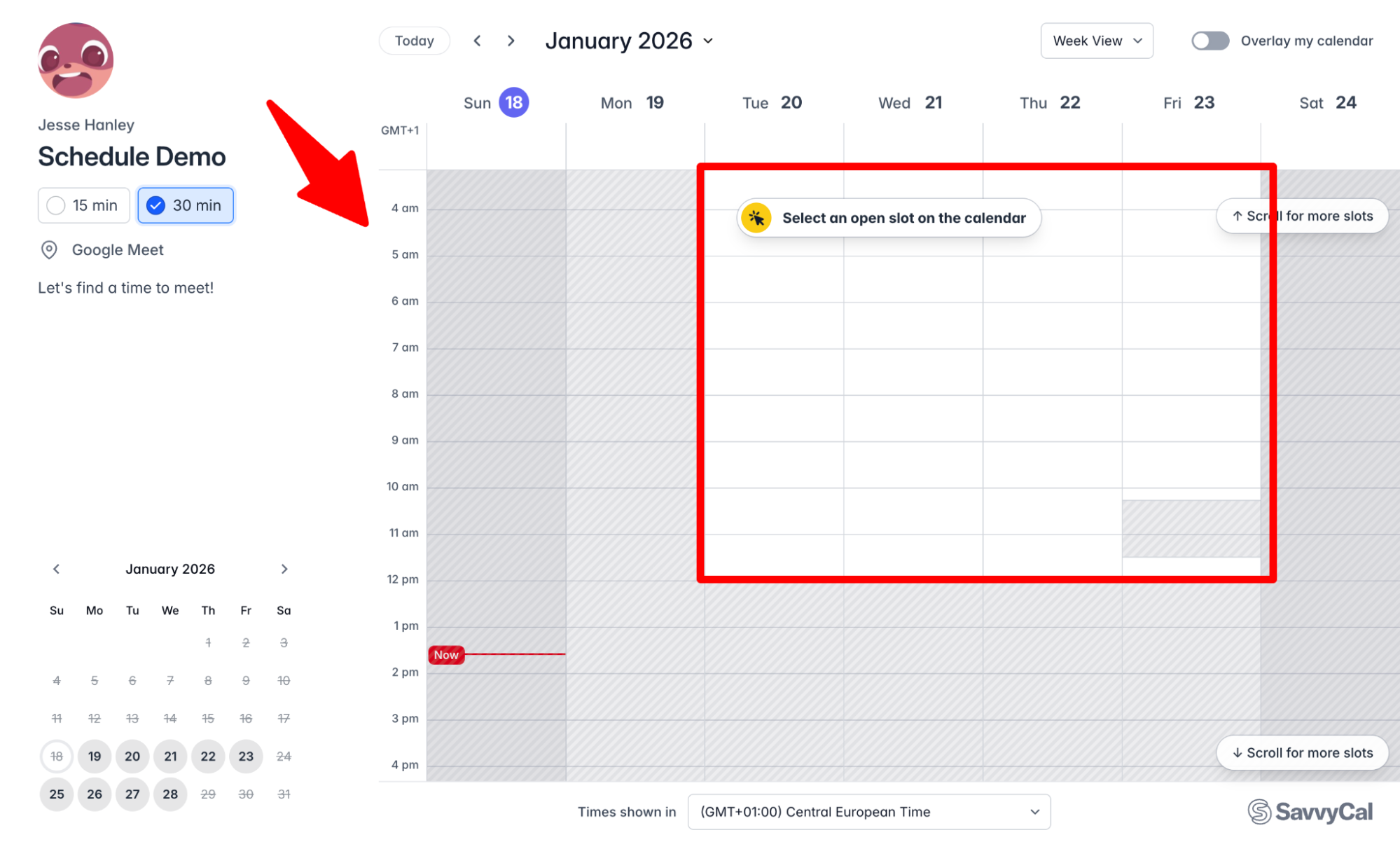 Image via Google Calendar
To tackle this, you’ll often need to go to their active Discord community if you need to address something right away.
Dashboard
My first impression of the dashboard was that it looked less like a marketing tool and more like a developer’s terminal or a chat interface. Here’s some key information about the dashboard:
- Dark mode only. There seems to be no option to toggle light mode, so if you’re into high-contrast white backgrounds, that’s a slight turnoff.
- AI-centric. The interface often feels like a chat with AI. Tanuki (the AI assistant) is always visible or just a click away, which makes the experience feel like using ChatGPT.
- Information density. The initial view is overwhelming; there are lots of menu options, and some screens are cluttered with data.
It took me a while to orient myself, and I wish there were a lite version of the menu. But after some time, and depending on the person you’re, you may appreciate having all that data density at a glance.
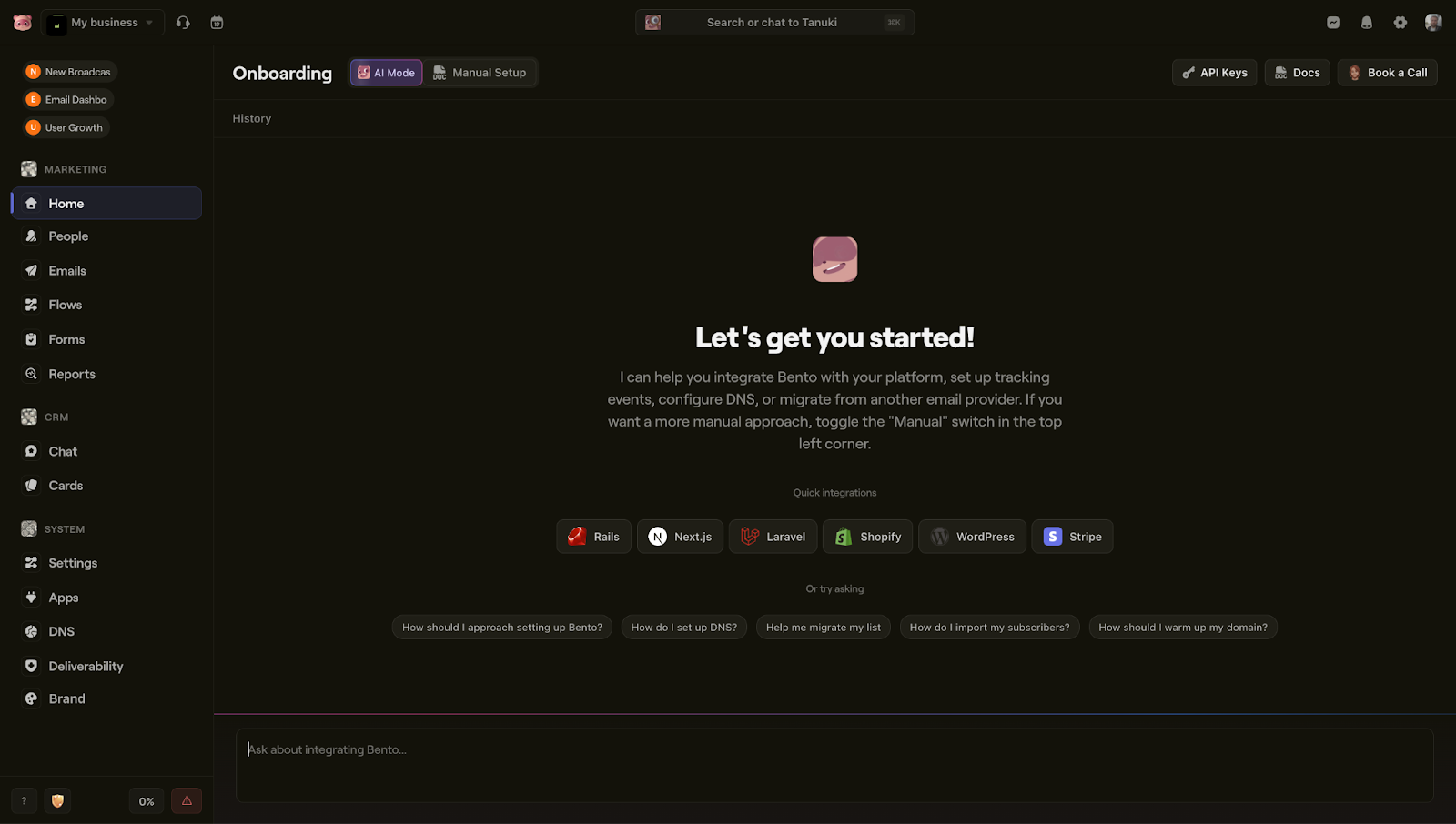 Image via Bento
Importing subscriber lists
Migrating your data is probably the first task you’ll need to handle, and Bento offers three primary methods: CSV, copy/paste, and API.
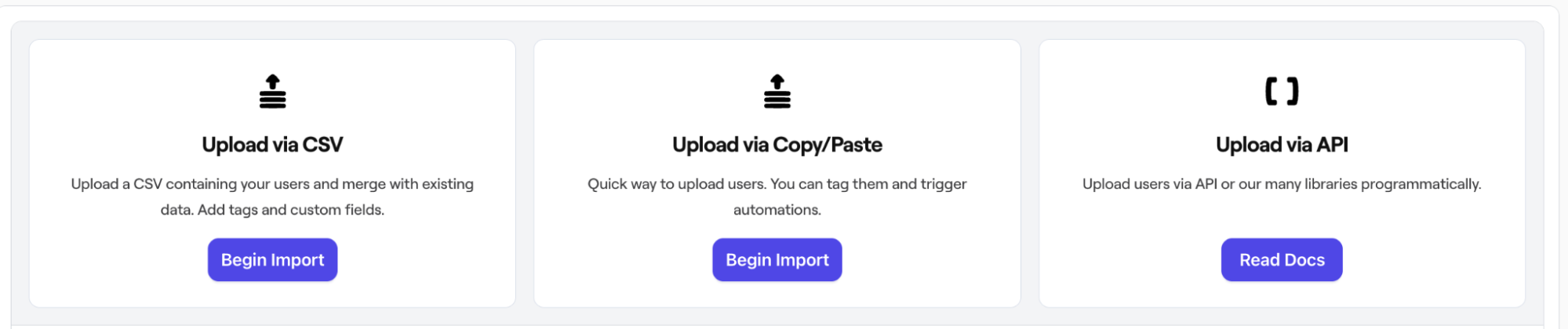 Image via Bento
I tried bulk-importing a list in a CSV file, and it was very easy. All it took was a few clicks to map the fields and get the data into the system. I haven’t tried the other methods, but I’m pretty sure you won’t have any problems with them, either. If you do, use Tanuki (the AI assistant) or contact the support team.
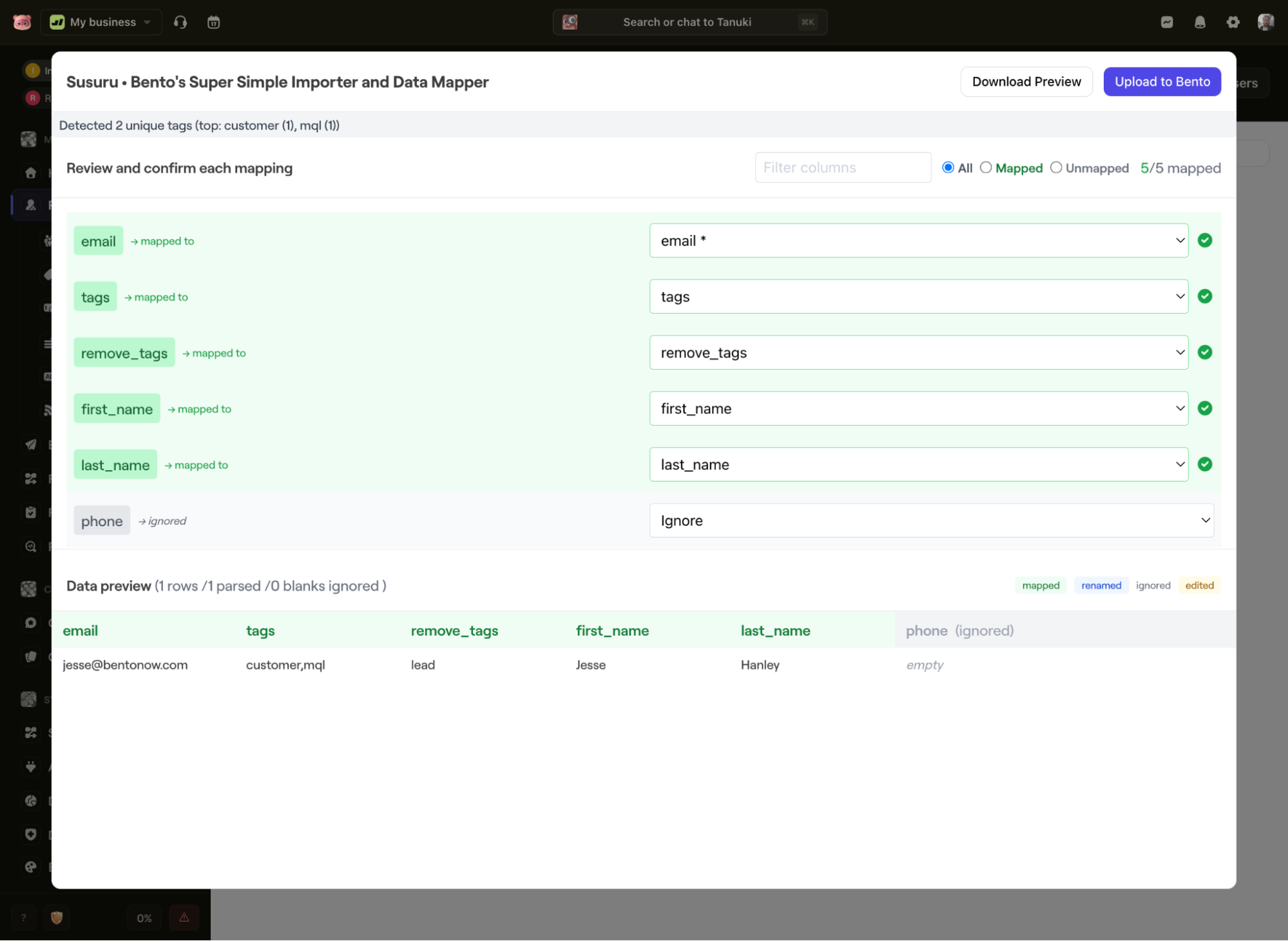 Image via Bento
If you’re migrating from a major provider like Klaviyo, Bento offers detailed migration guides. They walk you through exporting your data and setting up the technical requirements to ensure you don’t lose any history.
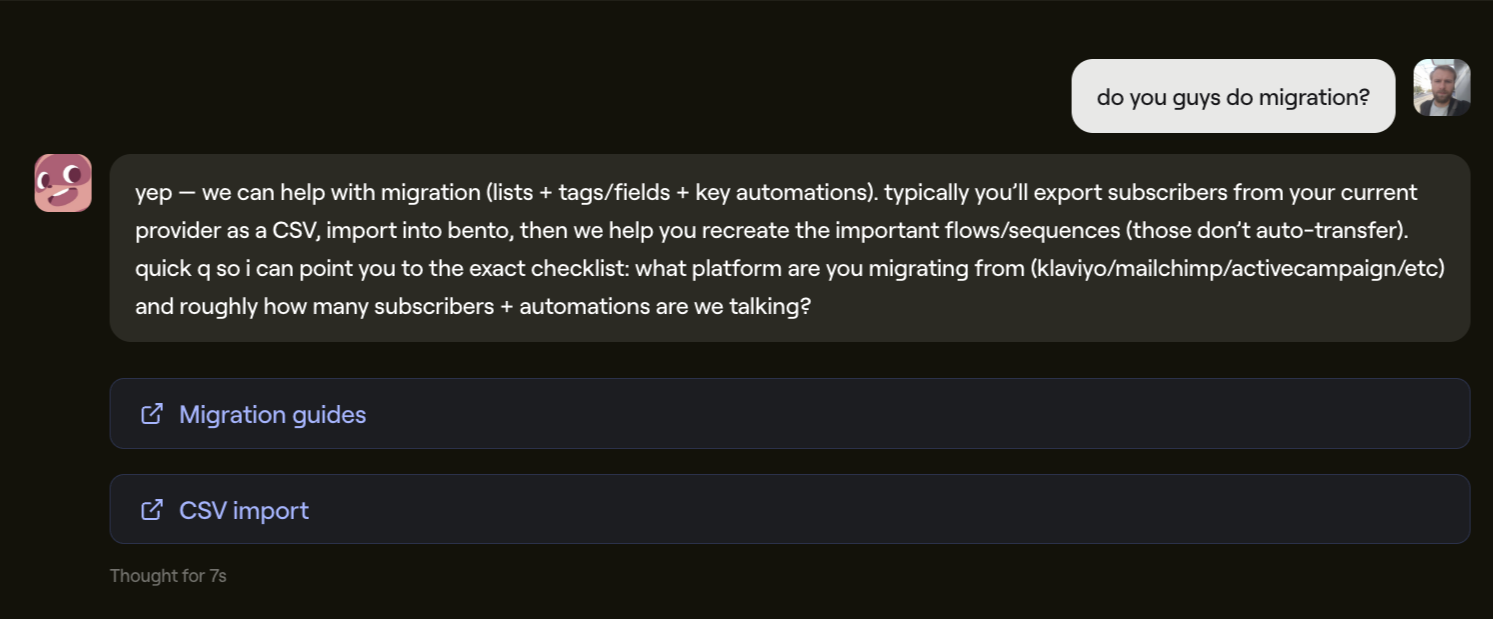 Image via Bento
Email builder and templates
Creating emails in Bento is done in one of two ways: the AI-native text editor or the Stripo drag-and-drop editor. Put simply, the former is a modern, native way, and the other is more of a traditional approach.
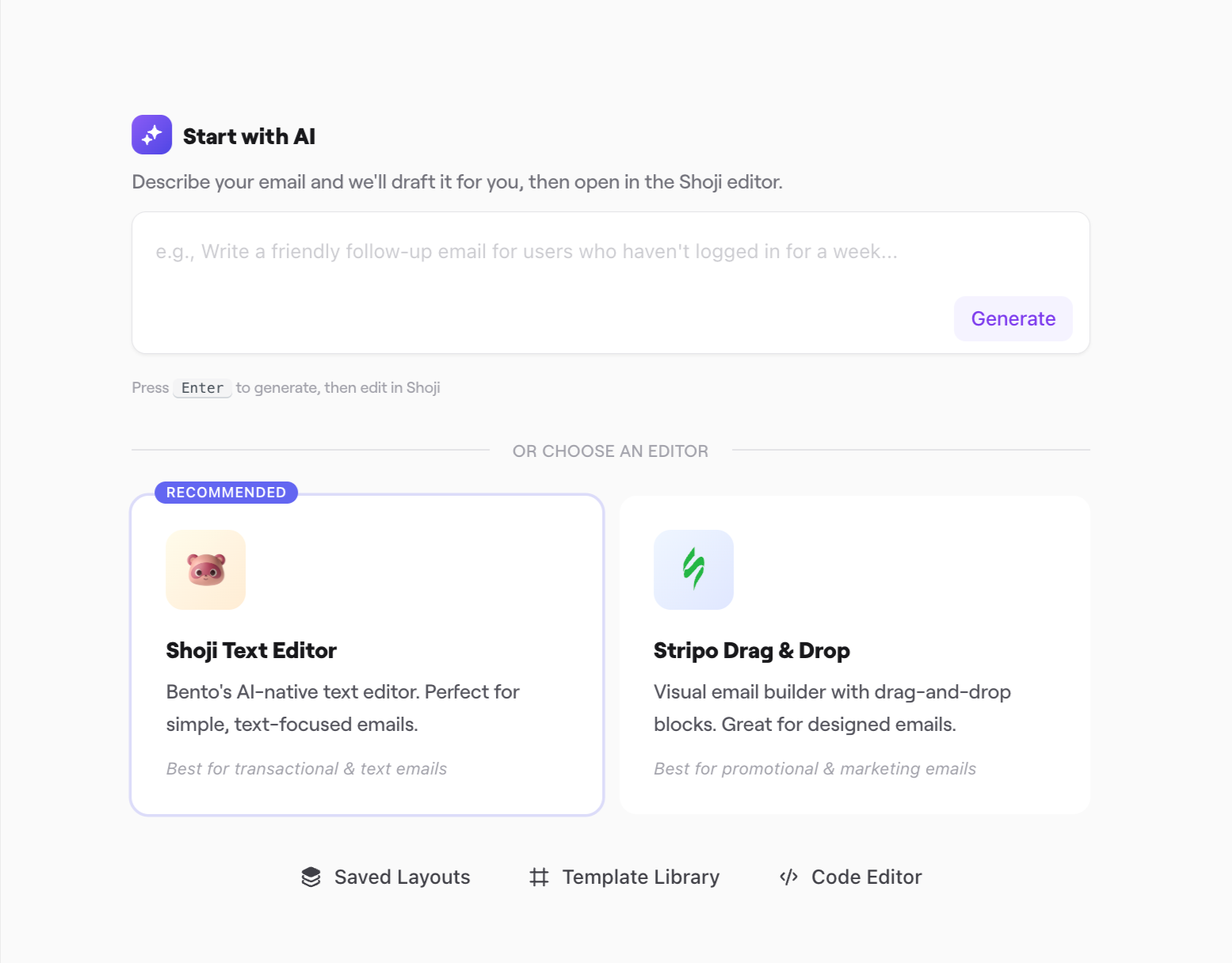 Image via Bento
1. The Stripo editor (drag-and-drop)
For most marketers, this is the default choice. It’s what you’re already familiar with. If you’ve used Klaviyo, Omnisend, Mailchimp, or any other ESP before, you’ll feel right at home using Stripo. You can create both desktop-friendly emails and responsive emails for mobile users.
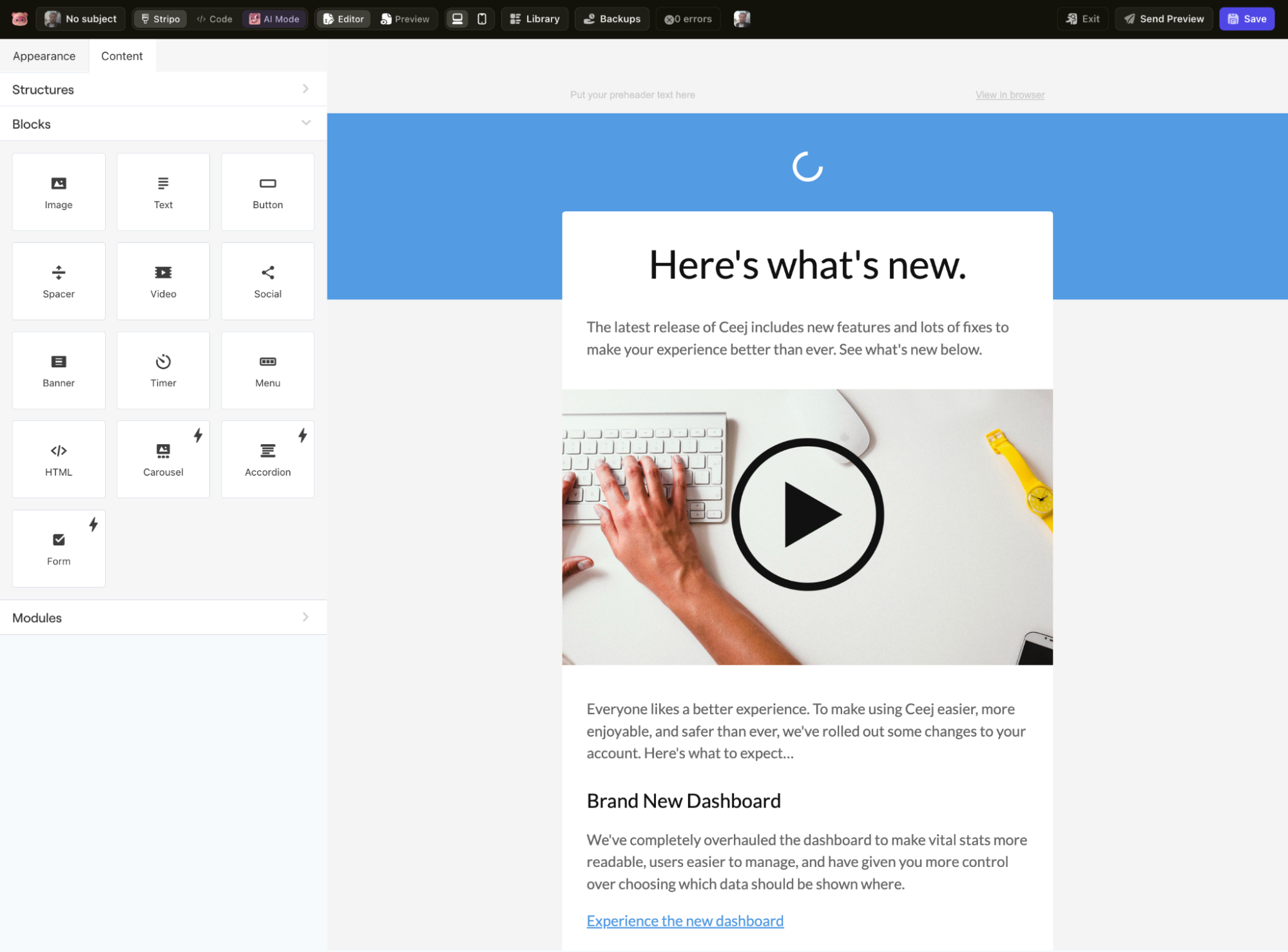 Image via Bento
If you have zero coding experience, you’ll most likely choose to use this one, at least in the beginning. Stripo provides a strong drag-and-drop editor, responsive templates, and reliable rendering across email clients, without requiring custom HTML.
It tends to limit deep customization and creates a dependency on third-party tools. Also, it’s not as flexible as a fully native editor. But there’s an upside, at least for me: it’s one of the few things that’s not in dark mode.
Jokes aside, probably the most unique feature I found is the AI “Form”. It seems to allow you to embed interactive elements directly into the email. However, I’m not so sure it’s legal or technically feasible to include forms like that in an email. I suspect they’ve found a clever workaround, but it’s definitely a bold feature to include.
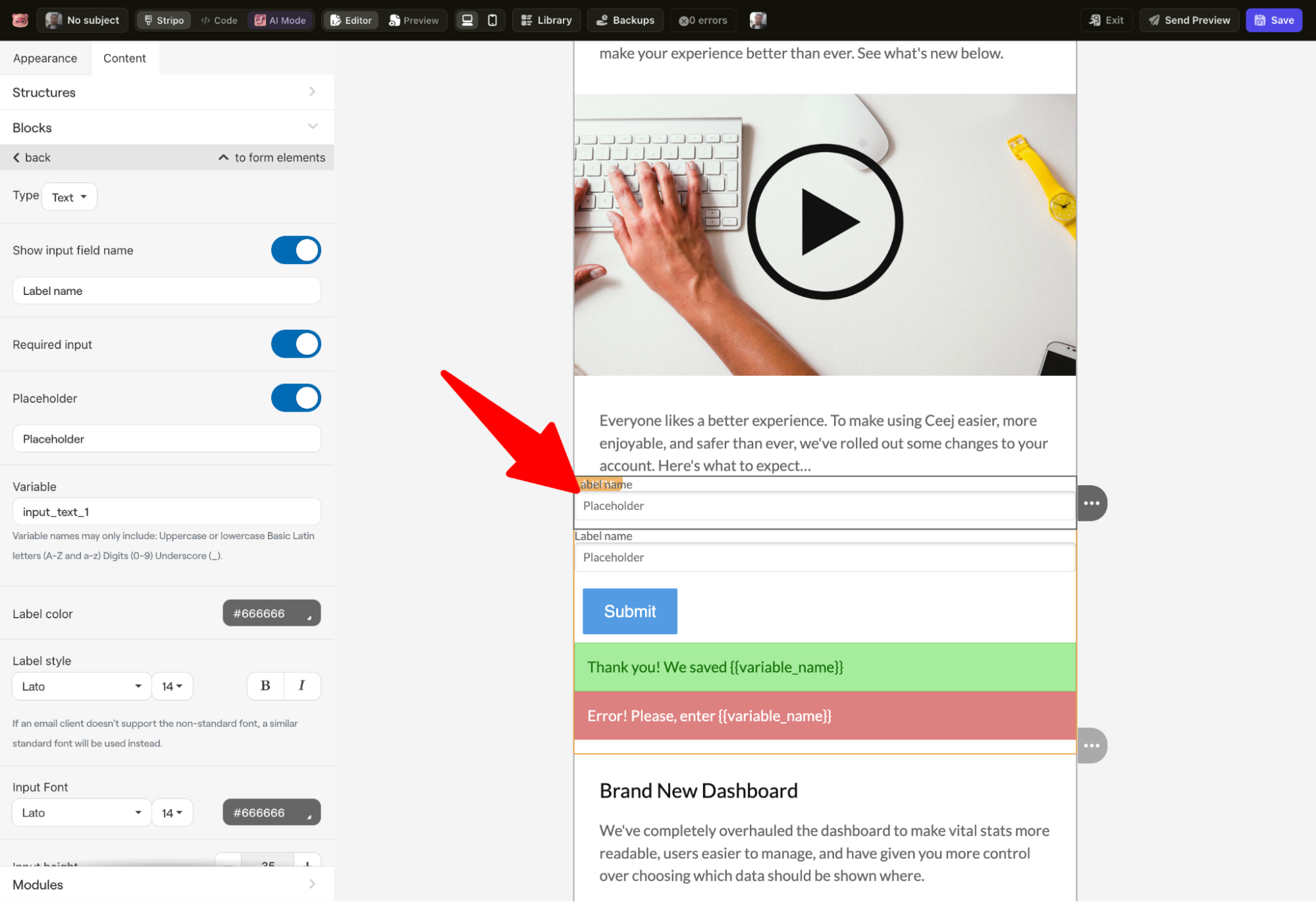 Image via Bento
After I finished designing my email, I ran into another snag. I wanted to see how the “Form” block worked in action, and tried to send a preview email to my inbox.
Unfortunately, my account was still pending approval 2 hours after I signed up, which means I couldn’t send the preview and check the email in live conditions. It felt like overkill to block a test email to my own address, but it shows how seriously Bento takes security and reputation.
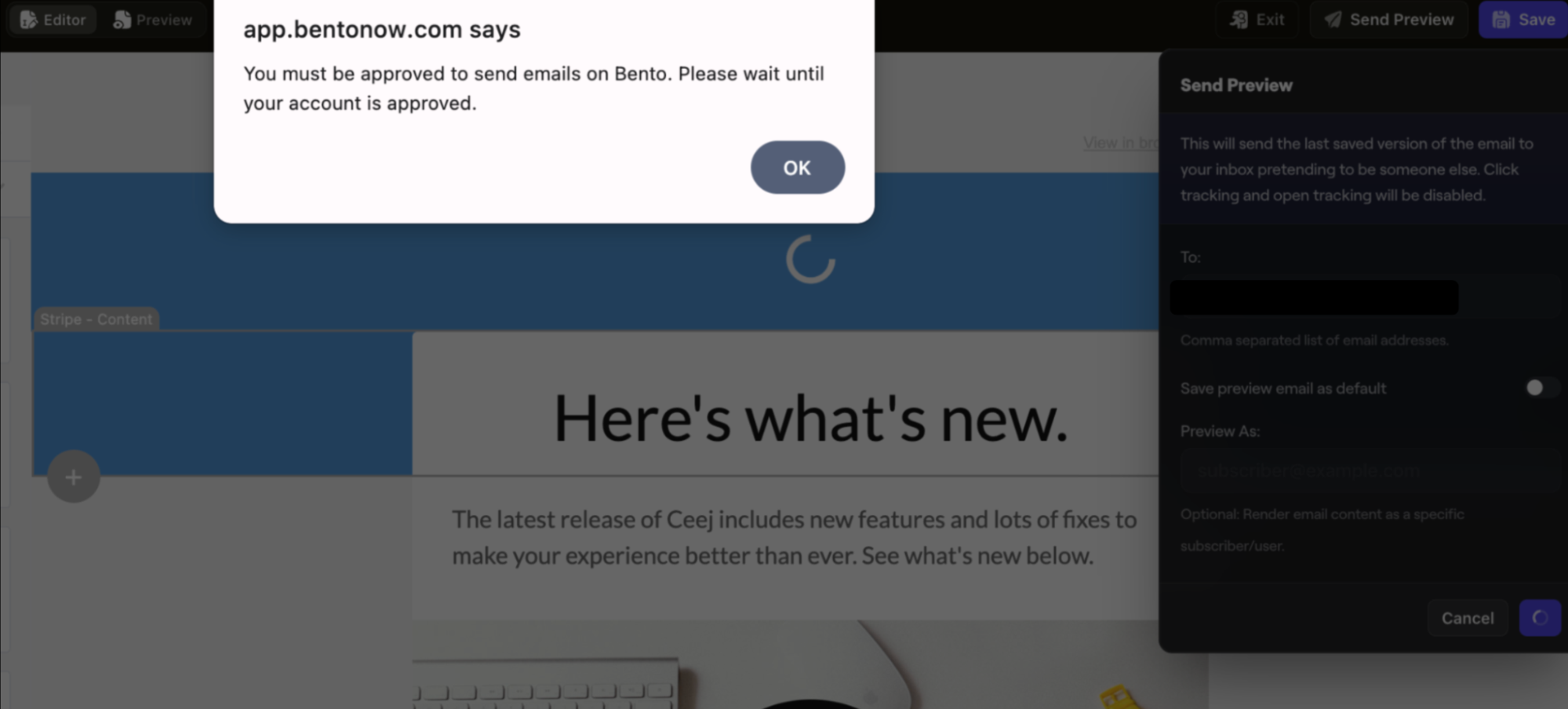 Image via Bento
2. Bento’s native AI editor
This is basically where the platform’s “developer-first” DNA shines. It’s text-based, AI-powered, and focuses on raw HTML and speed. You use prompts to build emails by talking to Tanuki (the assistant), and it’s best for transactional emails, simple text updates, and developer workflows.
I tested it with the prompt: “Create a welcome email for my fashion ecommerce store with a 10% off offer.” In about 5 seconds, Tanuki generated a complete email. I wish the approval process was this fast.
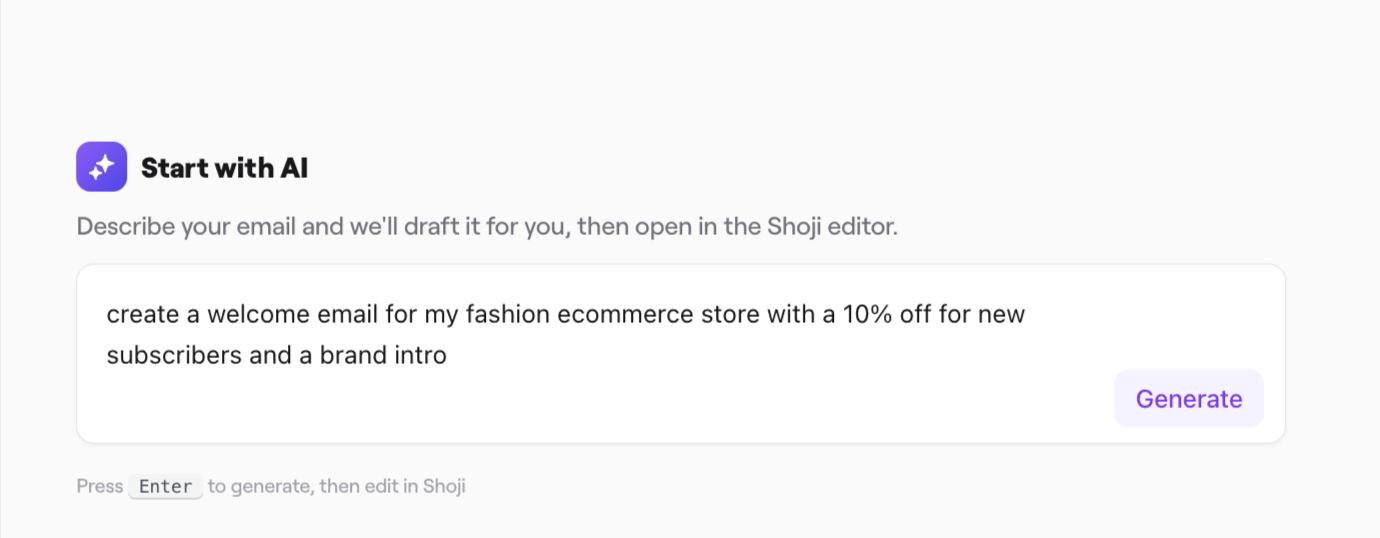 Image via Bento
The output was basic: primarily text and links. While you can add images and buttons via the menu or by asking the AI, the default output is very sparse. If you’re looking for a heavily designed, image-rich promotional email, this editor will require a lot of prompting to get there.
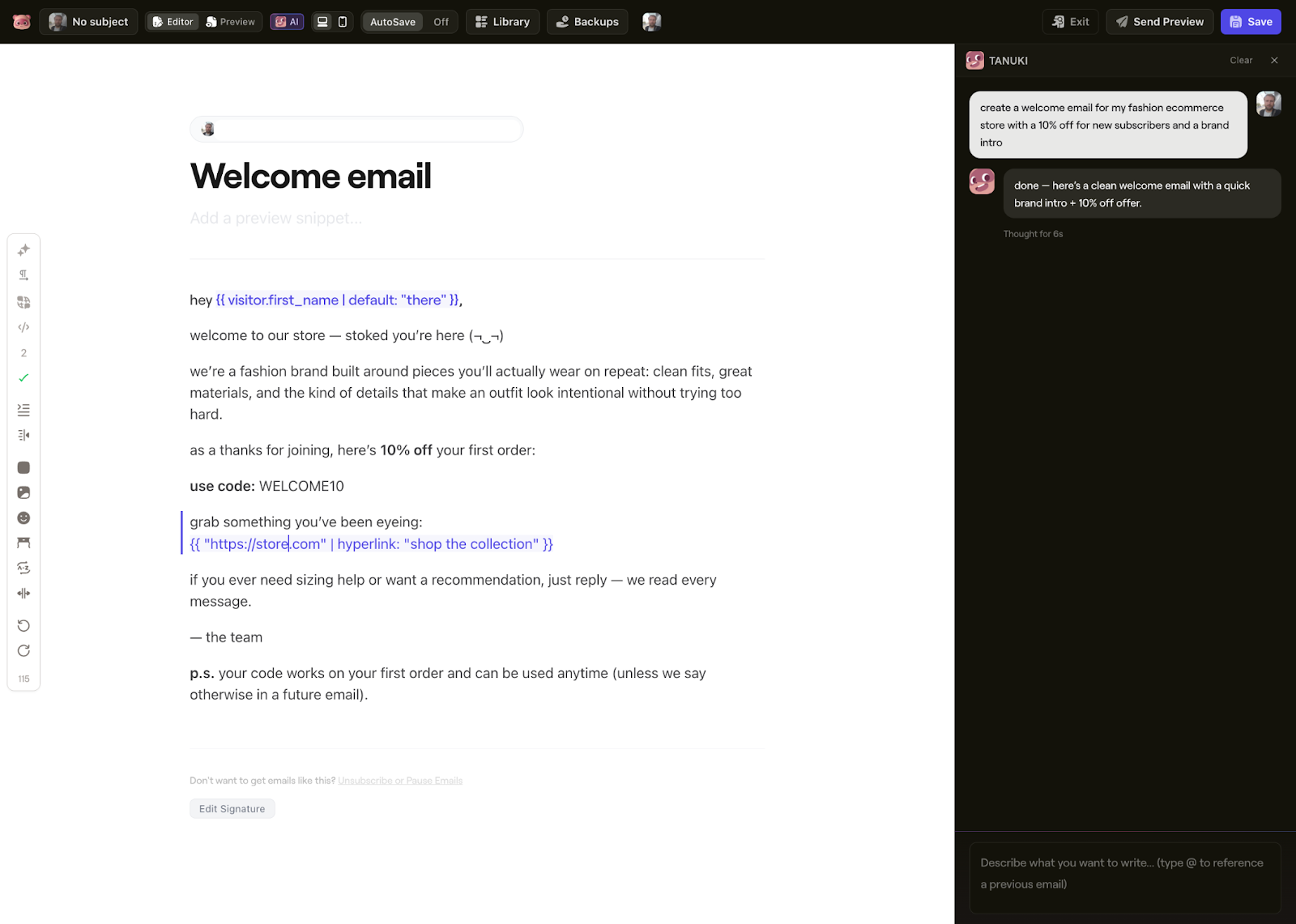 Image via Bento
While I appreciate the feature, next time I would only use the AI option to create transactional emails, as per Bento’s recommendation. For newsletters or automation workflows, the Stripo editor is incomparably stronger.
What I loved about the native editor was the organization. Once you’re done with the copy, a side column displays all your settings (send time, audience, batching, subject line, preheader, etc.) and recommendations. It’s a clean way to audit your email before sending without having to close the editor, check the settings, and then reopen it to finalize the campaign.
 Image via Bento
To speed up the process, stop by the “Branding” tab in the main menu first. If you add your brand colors and URL there, Bento (and Tanuki) will automatically apply those styles to your generated emails, saving you from manually formatting every link and button.
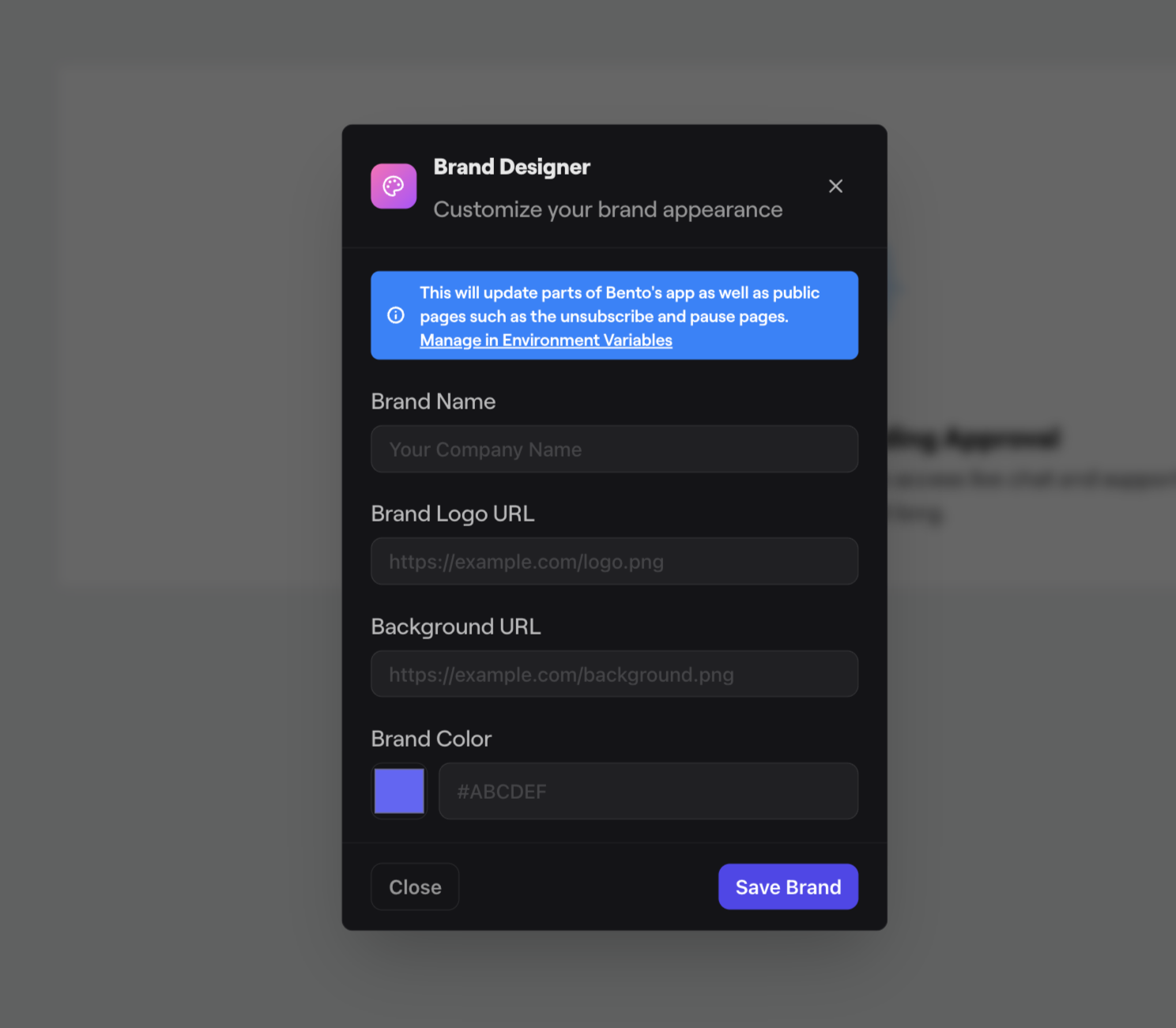 Image via Bento
In short, here’s a brief overview of this editor I’ve compiled:
- Incredible speed for simple emails
- Perfect for transactional email
- No design skills needed
- Works with raw HTML if you want control
- Not ideal for heavily designed promotional emails
- Generated emails are basic (text + links primarily)
- Requires prompting skills for best results
Segmentation and personalization
Trying to locate specific segmentation options could come off as a little confusing at first. On the flip side, it was only added to the platform a week or so ago. But that’s hardly a problem, since you have the AI assistant Tanuki available at all times. It’s surprisingly good at navigating the platform for you and finding what you’re looking for.
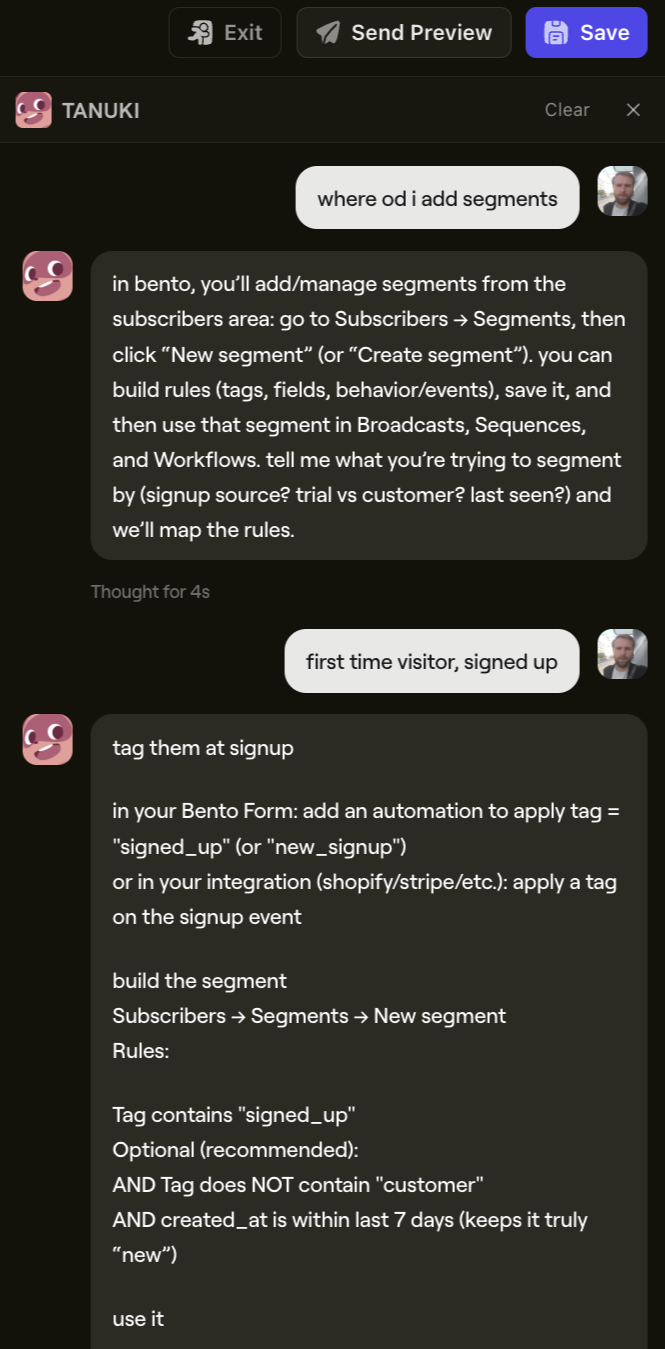 Image via Bento
Once you find your way around, the first thing you’ll notice is that Bento doesn’t have a lot of available fields from the get-go. You shouldn’t, however, take it for face value. You can easily build custom fields, and all you need to do is ask Tanuki.
Here’s how segmentation works in Bento:
- Tags (applied manually or automatically)
- Custom fields (name, location, purchase history, etc.)
- Behavioral events (page visits, purchases, email opens)
- Fuzzy matching (approximate data matching)
Creating segments:
- Build rules using AND/OR logic
- Combine multiple conditions
- Real-time segment updates
- Use segments in broadcasts, flows, and forms
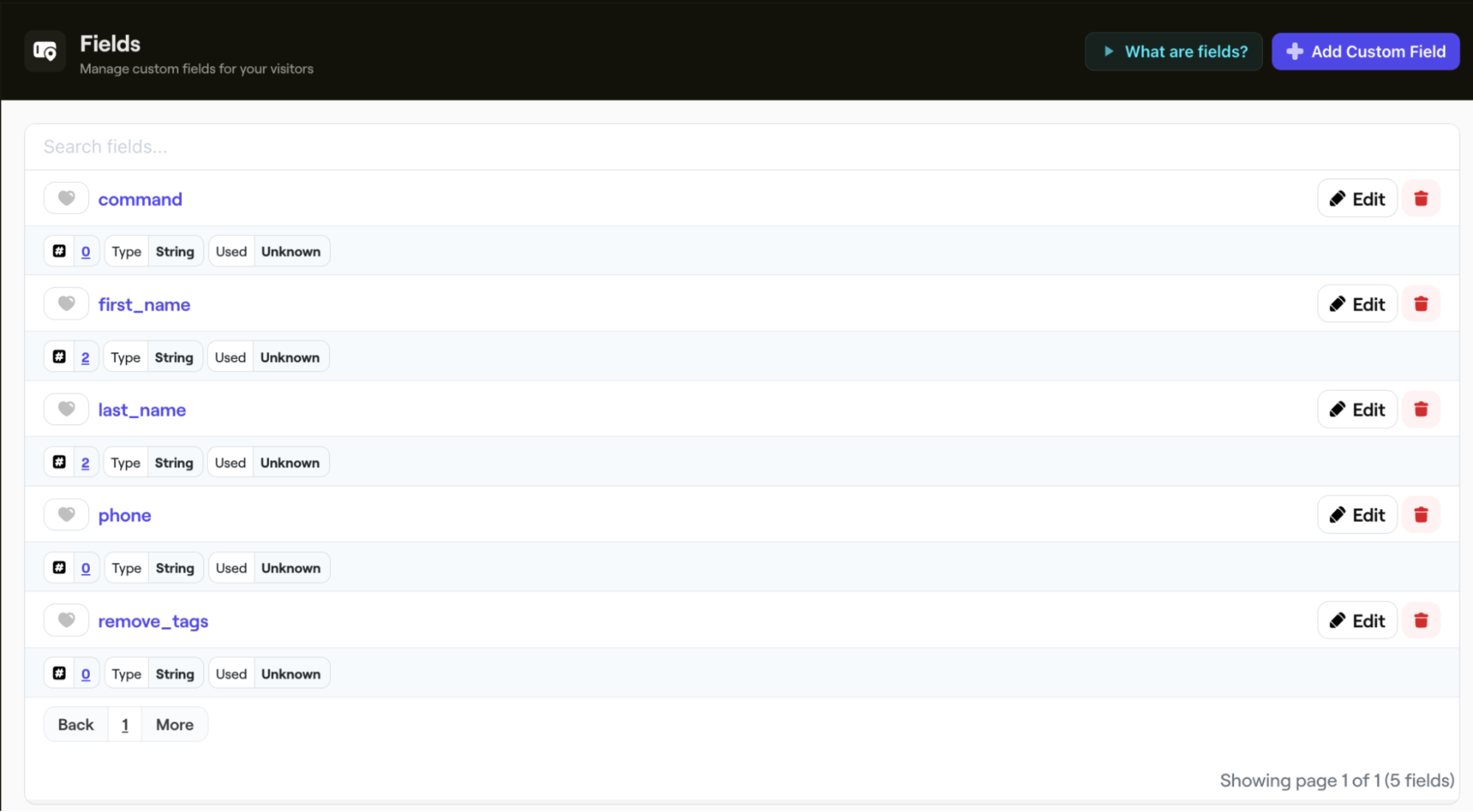 Image via Bento
Overall, setting up email automation flows with tags was good. The flexibility is quite excellent, too. By adding a tag based on an action (such as a purchase or sign-up), you can trigger any number of email flows and change them based on actions they take.
If you want to replicate the basic flows from Klaviyo, Mailchimp, or any other platform, it’s pretty easy to do so. The logic is similar, but Bento feels slightly more direct once you understand the tagging system.
 Image via Bento
Popups and forms
You can also use an email capture tool, but it feels like a separate solution rather than a core feature. It’s not top-tier in terms of functionality and convenience, but it gets the job done. Given the fact that it’s not a dedicated popup solution, it wouldn’t be fair to compare it to something like OptinMonster, so let’s see how it performs objectively.
The UI in the popup editor is not my favorite. While the rest of Bento is sleek and dark, some windows here, like the “Popup” settings on the left, appear with strongly contrasting white backgrounds. It looks a bit strange, almost like a poorly placed popup within the tool itself.
If you can look past the visual clash, however, the functionality is solid.
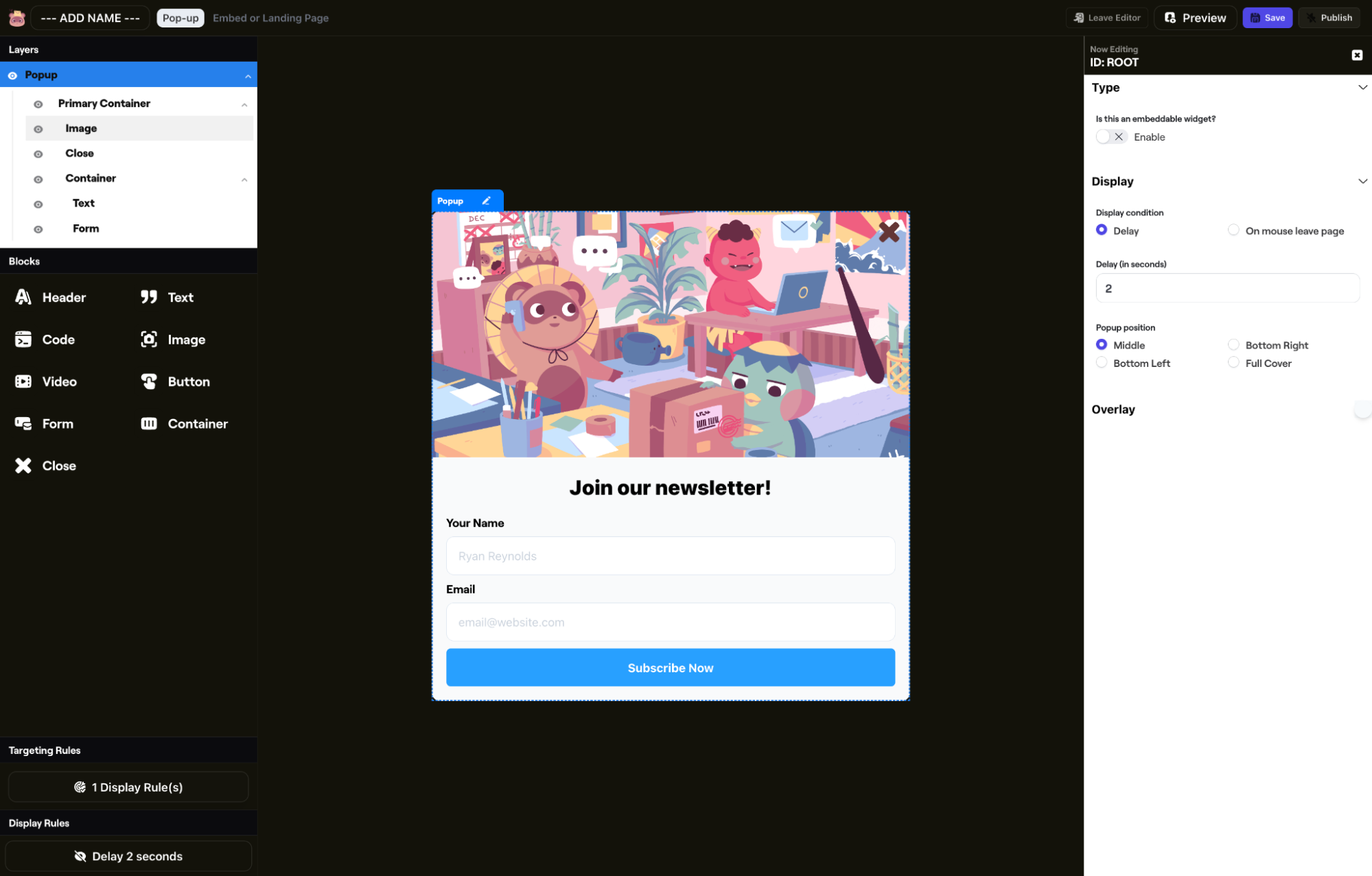 Image via Bento
Out-of-the-box targeting rules were lacking (like with default segmentation fields), but once again, you can create custom ones by describing what you want to Tanuki. Then, it’s a matter of seconds.
For example, I wanted a popup to appear only for visitors viewing a specific category. By running a short prompt, I created a rule that shows the popup appears only to those who were browsing for candles. The AI generated the rule in about five seconds. While I couldn’t test this on a live high-traffic store, the logic was generated instantly.
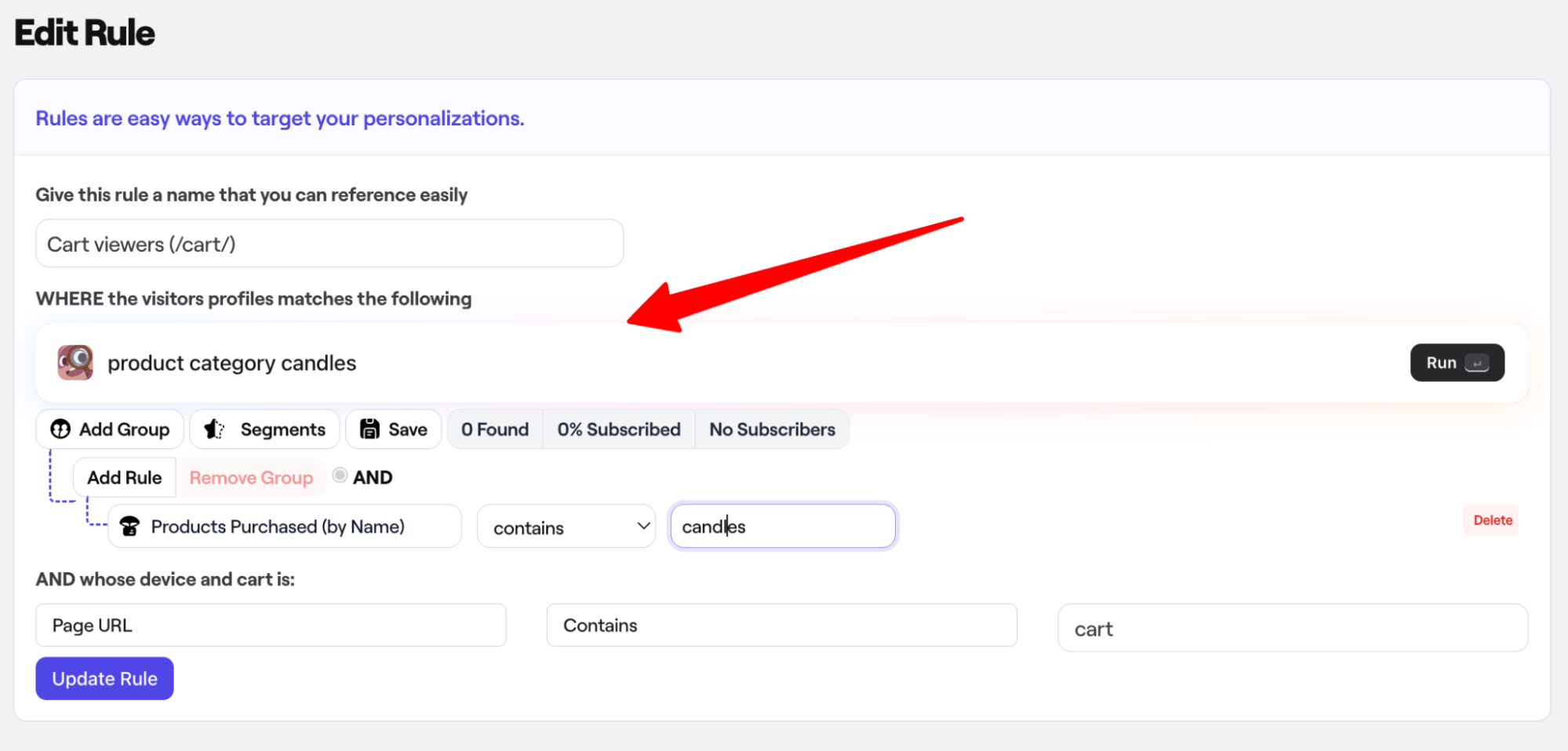 Image via Bento
However, some terminology is obviously directed towards developers. While setting up a campaign for repeat customers, Bento suggested I add a “fuzzy” tag.
I had absolutely no clue what it meant, so I looked it up on Google.
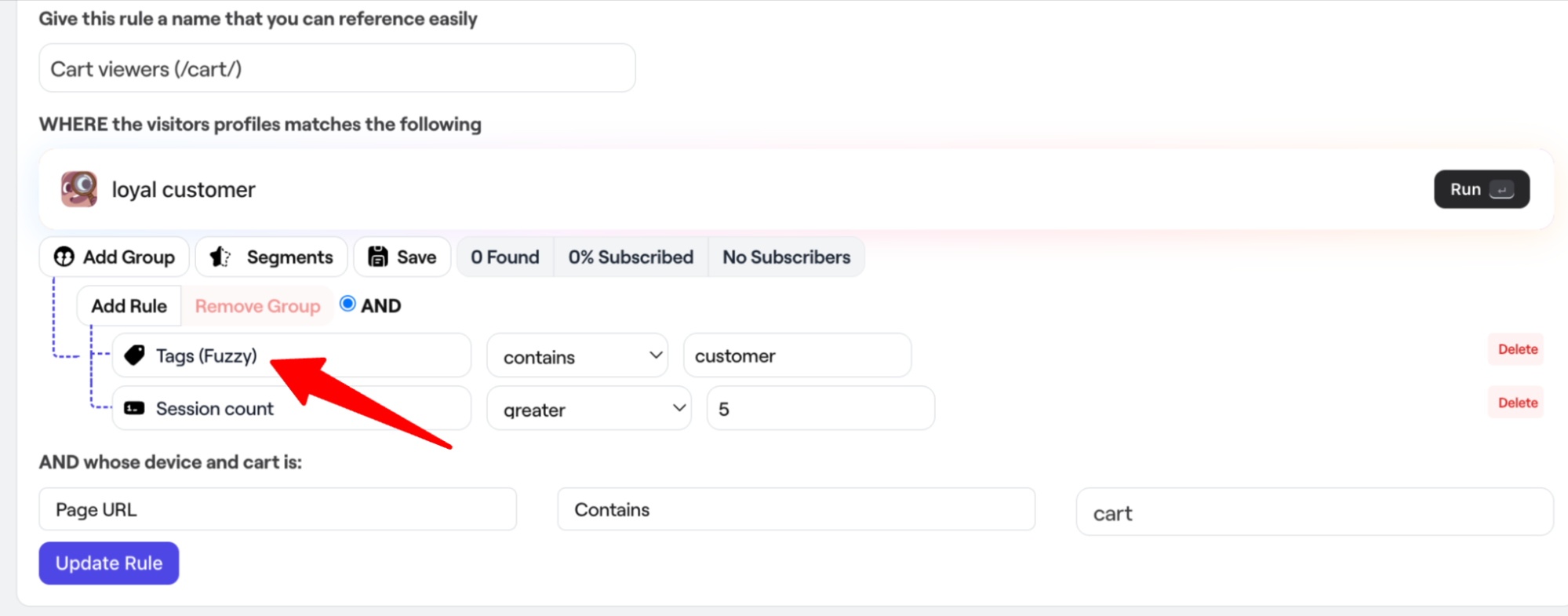 Image via Bento
Turns out, “fuzzy matching” is often seen while working with Python. It’s a prime example of what I mentioned earlier: you need to be a tech-savvy marketer with some coding knowledge to maximize the platform’s potential.
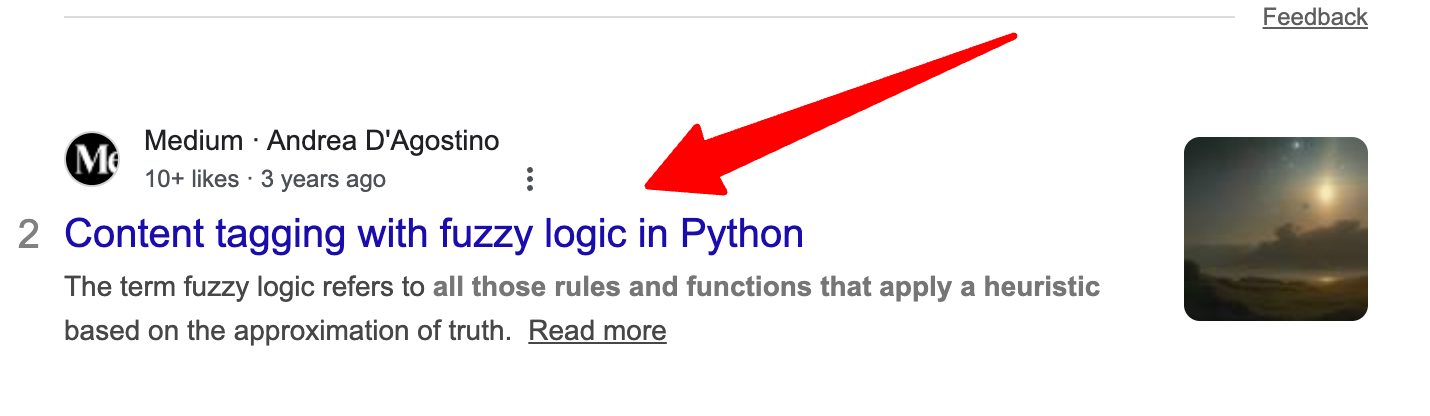 Image via Google
Analytics and reporting
If you love working with data, you’ll most likely enjoy Bento’s approach to reporting. The platform includes a suite of useful pre-made reports that cover the essentials for managing an effective email strategy.
The reports are intuitive and easy to digest. While true for most platforms, with Bento, you also don’t need a data science degree to understand how your campaigns perform.
 Image via Bento
One feature I really appreciated was the health check report. It actively helps you build an email reputation and improve deliverability. There’s a literal to-do list of technical tasks (like setting up DMARC or SPF records, for example), which is incredibly helpful for keeping your domain safe and working.
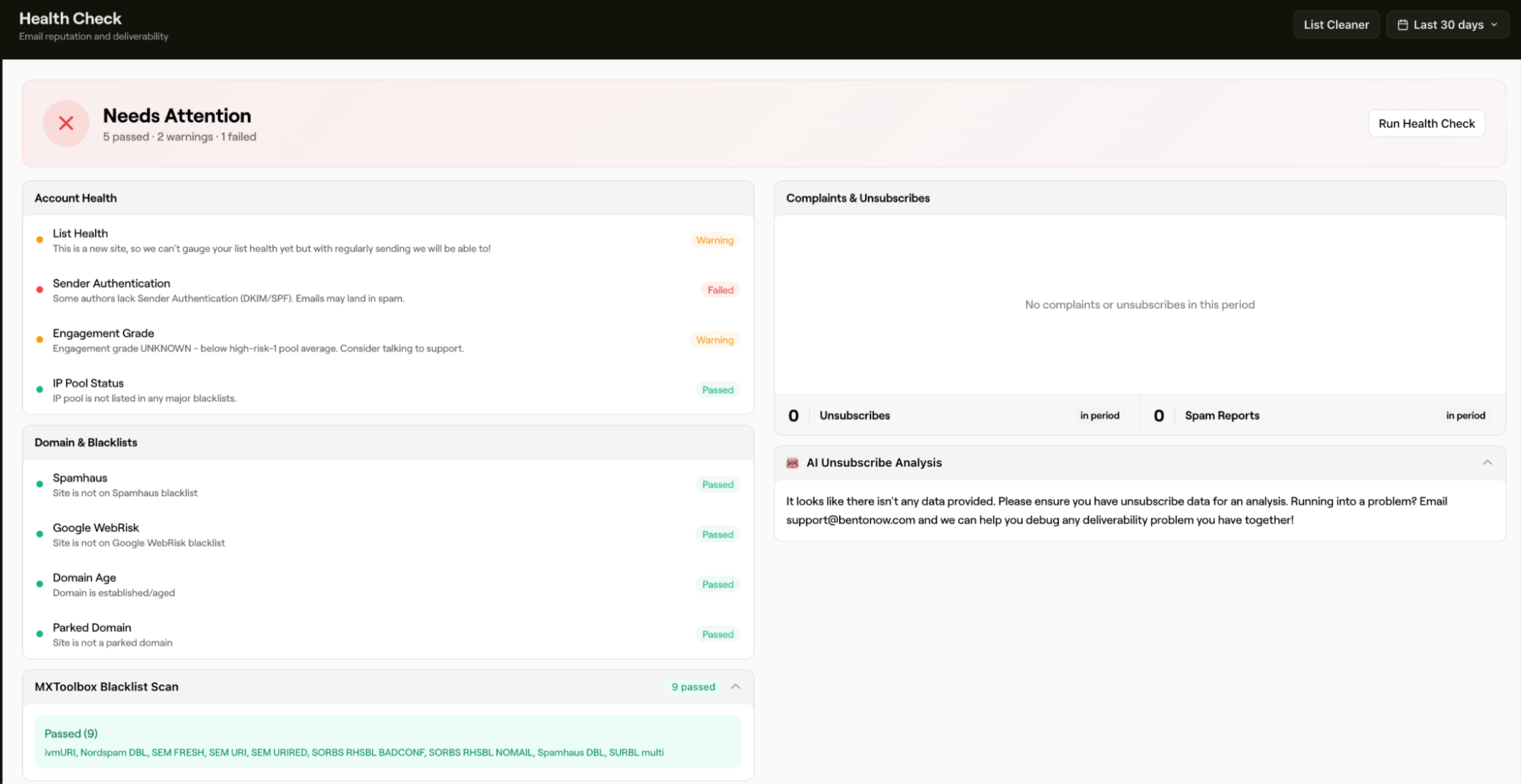 Image via Bento
Just as with segmentation and targeting rules, you can update or change reports using prompts. If the standard view isn’t showing you what you need, you can type in a request into the prompt field, and Tanuki will offer settings to apply.
While this ability to prompt for anything you need seems too good to be true, in some cases, it might be. I’m not so sure that all these settings will work every time, so I’d advise you to manage expectations.
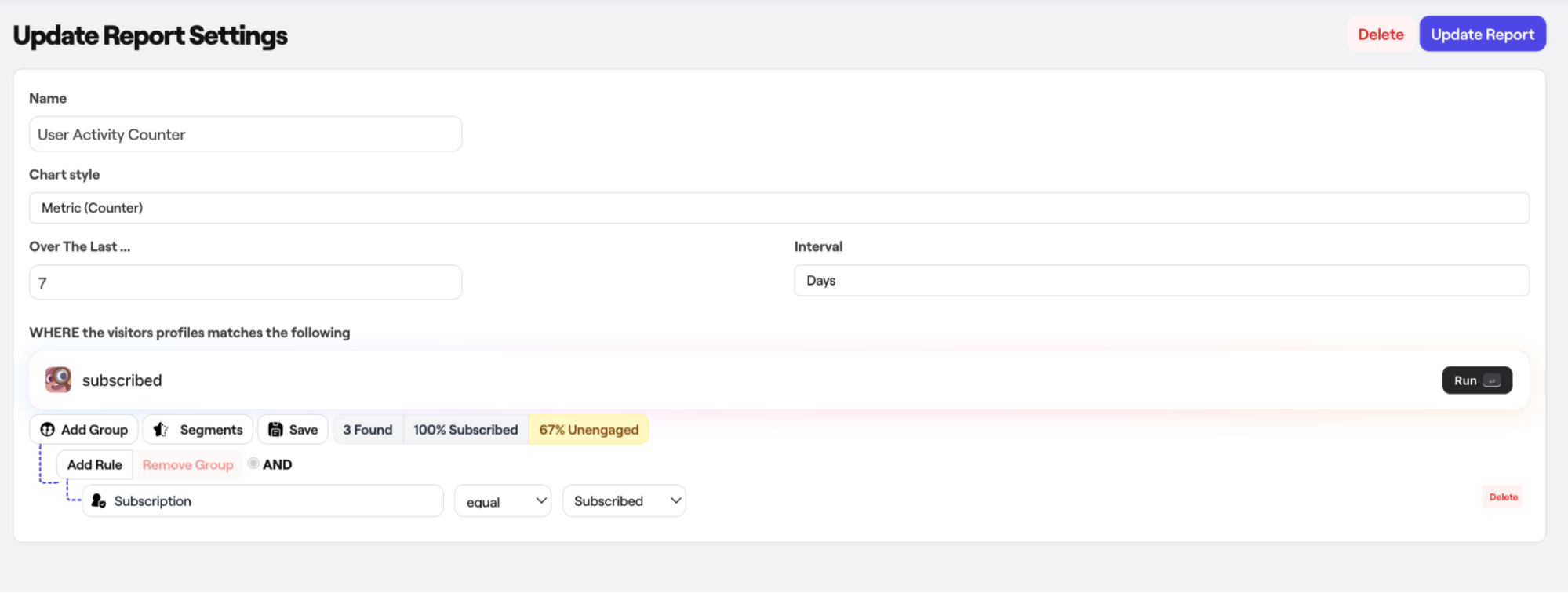 Image via Bento
I wasn’t able to check the revenue-tracking feature, unfortunately, but it seems to be a map rather than a table, which I think is a unique way to illustrate data. Either way, it looks like Bento tracks revenue per flow, per campaign, and per ad, with multi-touch attribution, so you know precisely which email drove sales.
As a result, it allows you to:
- See revenue generated per automation
- Multi-touch attribution (first touch, last touch, linear)
- Compare flow performance
While I couldn’t verify the dollar-perfect accuracy without a live store, the depth of attribution promised here is precisely what ecommerce businesses need to justify their marketing spend.
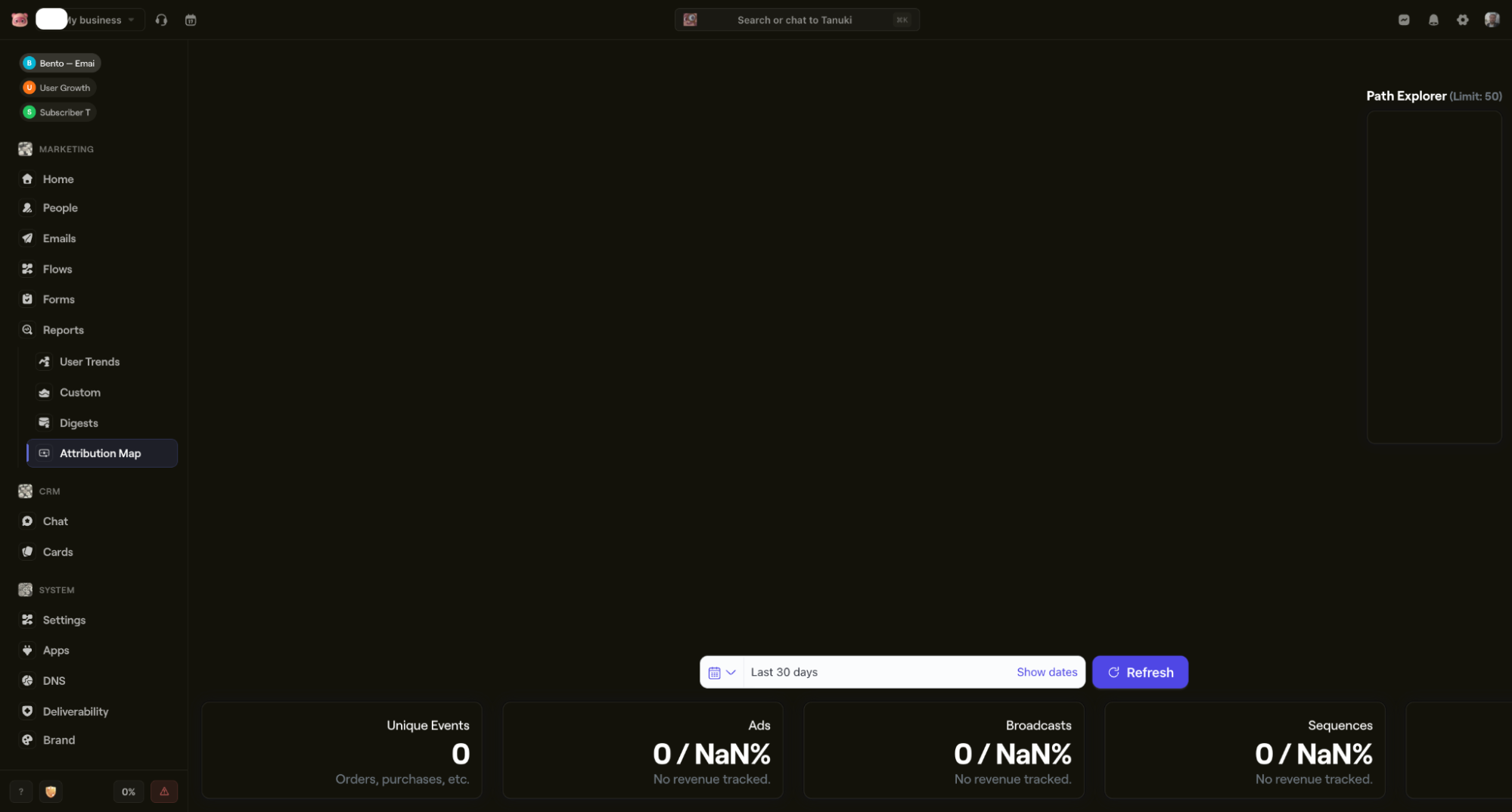 Image via Bento
Honorable mention: There’s also a built-in email list cleaner, which is usually a paid add-on on other platforms. Having it included in the flat price is a significant plus for maintaining list hygiene.
Event-based automation
Bento is built around a robust event-based system that tracks virtually everything a user does. However, understanding how all these events connect takes time. If you think you’ll be able to master the system in 10 minutes, I highly doubt it. After all, the learning curve is, indeed, relatively steep.
Event types available:
- System events. Standard actions like subscribing, unsubscribing, opening emails, and survey responses.
- Bento events. Native interactions like form submissions, chat messages, and survey responses.
- Shopify events. Deep integration tracking all orders, carts, and customer activities.
- Custom events. Anything you define via API for your specific app or store.
There’s also a list of all available events, including for Shopify:
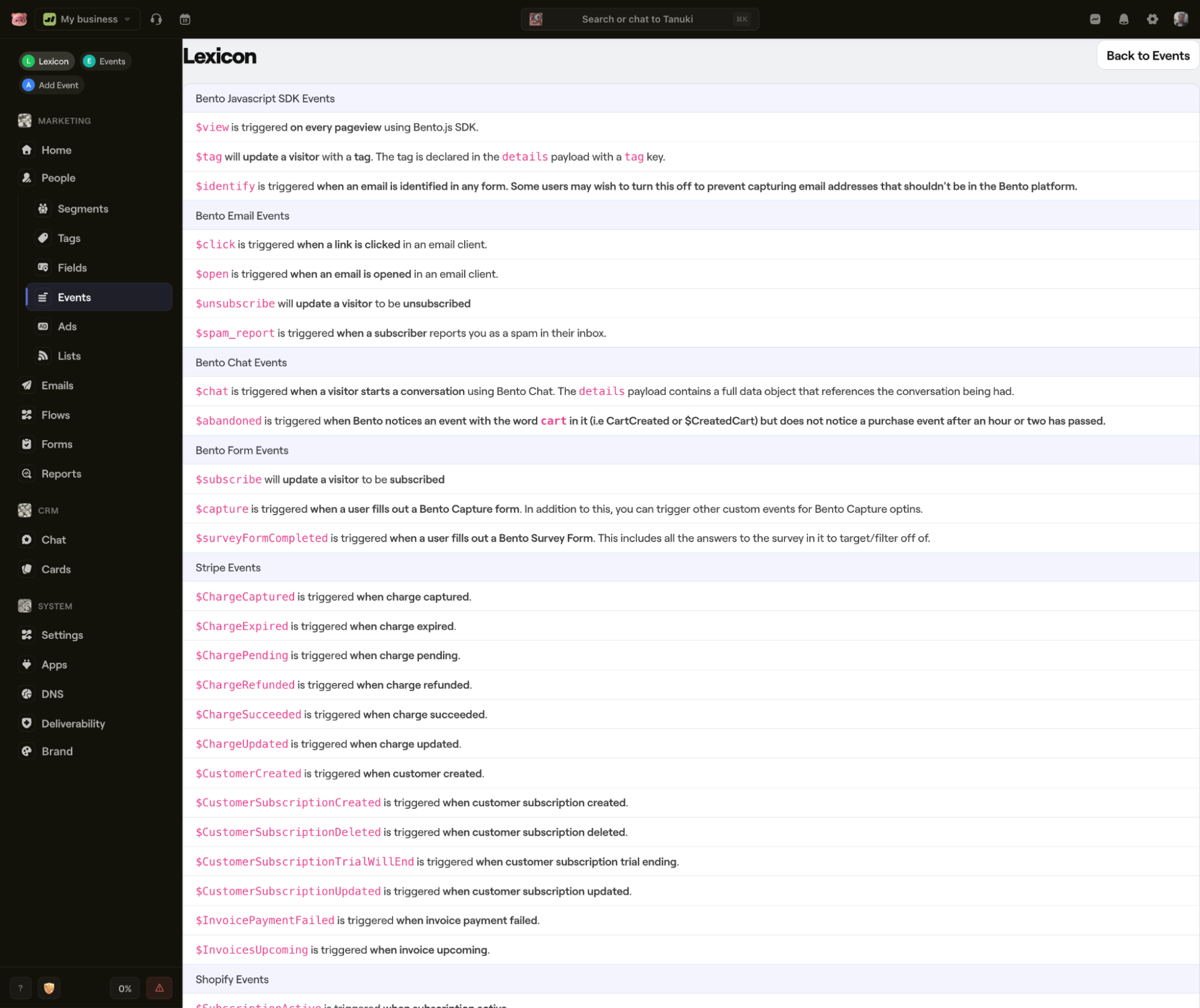 Image via Bento
While the tracking is incredible, the UI, once again, is lagging behind. There’s a comprehensive list of events, but selecting them isn’t as smooth as it should be.
When you create an event, you have to memorize its name. There’s no search available, and you cannot copy and paste directly from the list view. So, you have to go to the event list (the shorter arrow in the screenshot below), memorize the name exactly as it appears, and then enter it manually into the field (longer arrow).
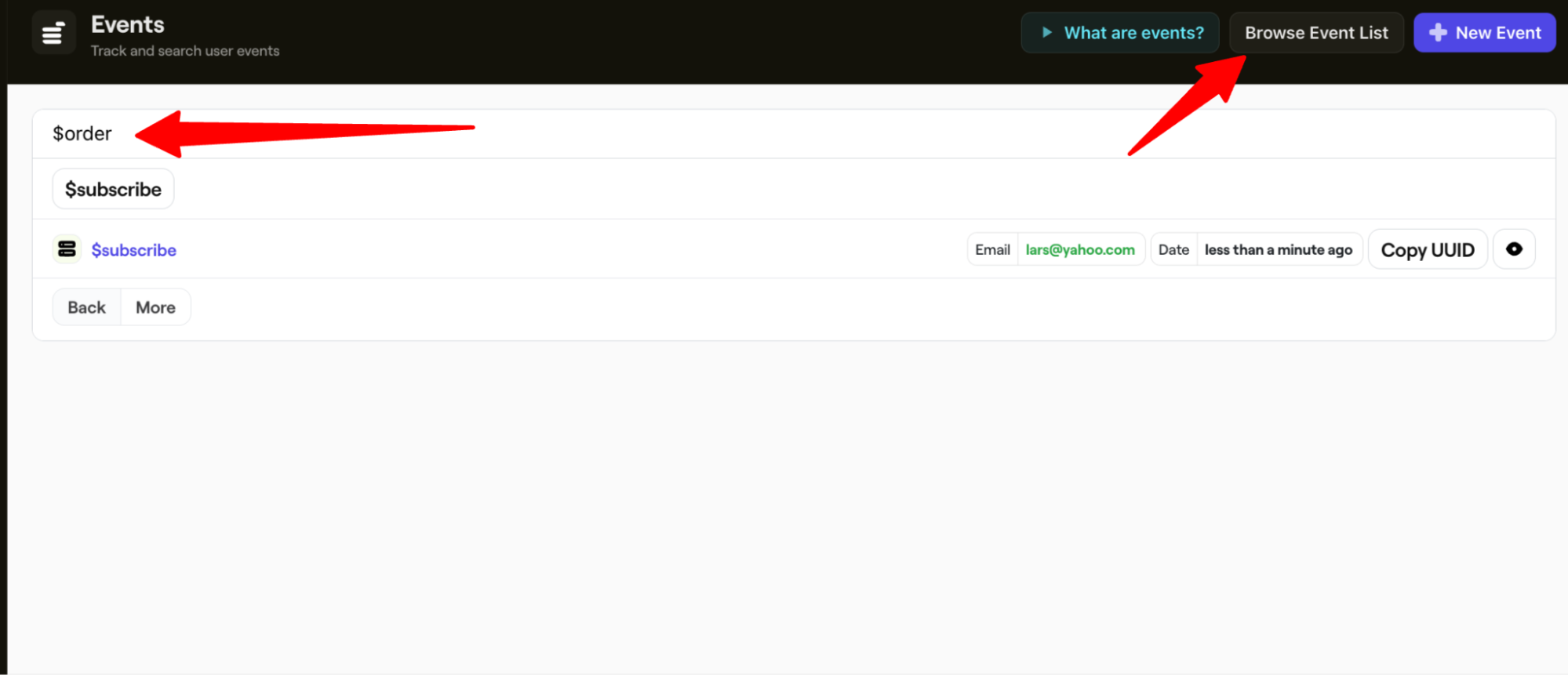 Image via Bento
It’s not exactly a deal-breaker, but surprisingly, a tool as sophisticated as this struggles with some basic UI solutions. Again, it’s made with developers in mind, so maybe I’m barking up the wrong tree. But since it’s a marketing tool first and foremost, it would make sense to make it more convenient for the average tech-savvy marketer, as well.
Fortunately, building the actual workflow is seamless and quite pleasant, largely thanks to the AI. The process resembles a typical AI-driven workflow creation: you talk to the AI agent in a chat, give it instructions, and it generates the steps based on what you ask.
I tested this by instructing Tanuki to make a Shopify email cart recovery automation that I can customize. The outcome was good; everything was based on best practices. One email was sent with a 1-hour delay, and if the customer didn’t buy, a second one would be scheduled in 24 hours. Here’s the whole workflow:
 Image via Bento
Customizing these steps was also surprisingly easy. While the logic looks technical at first, Bento provides clear instructions and even video explanations for most triggers and actions right within the editor.
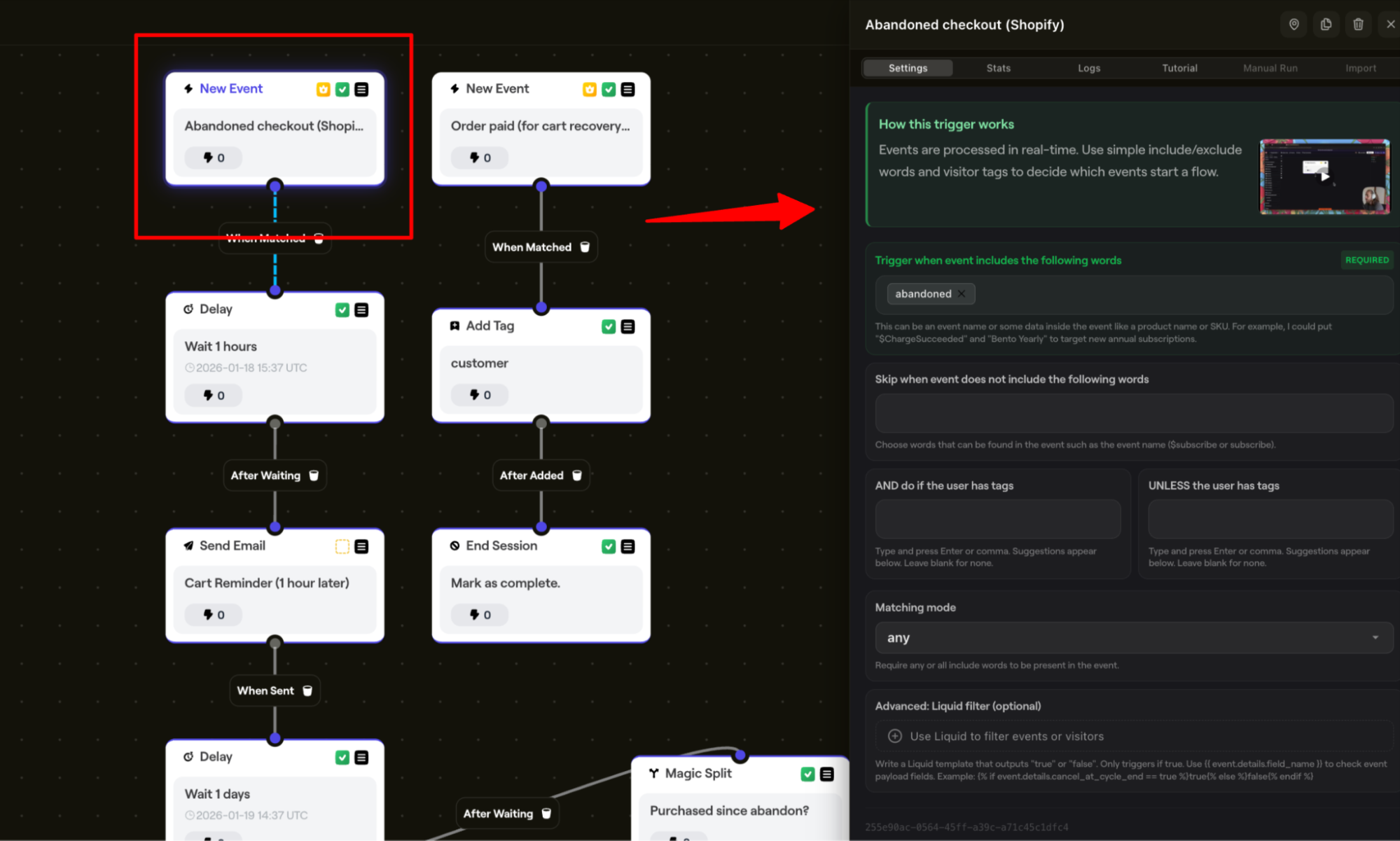 Image via Bento
CRM
As Bento itself claims, it’s an all-in-one solution, which includes a built-in CRM. While I couldn’t test the CRM feature because my account was still pending approval, I’ve meddled around long enough to help you set some expectations.
If there’s one thing you should be aware of, it’s the approval queue limitation. If you want to jump in and start doing work immediately, that’s simply not going to happen.
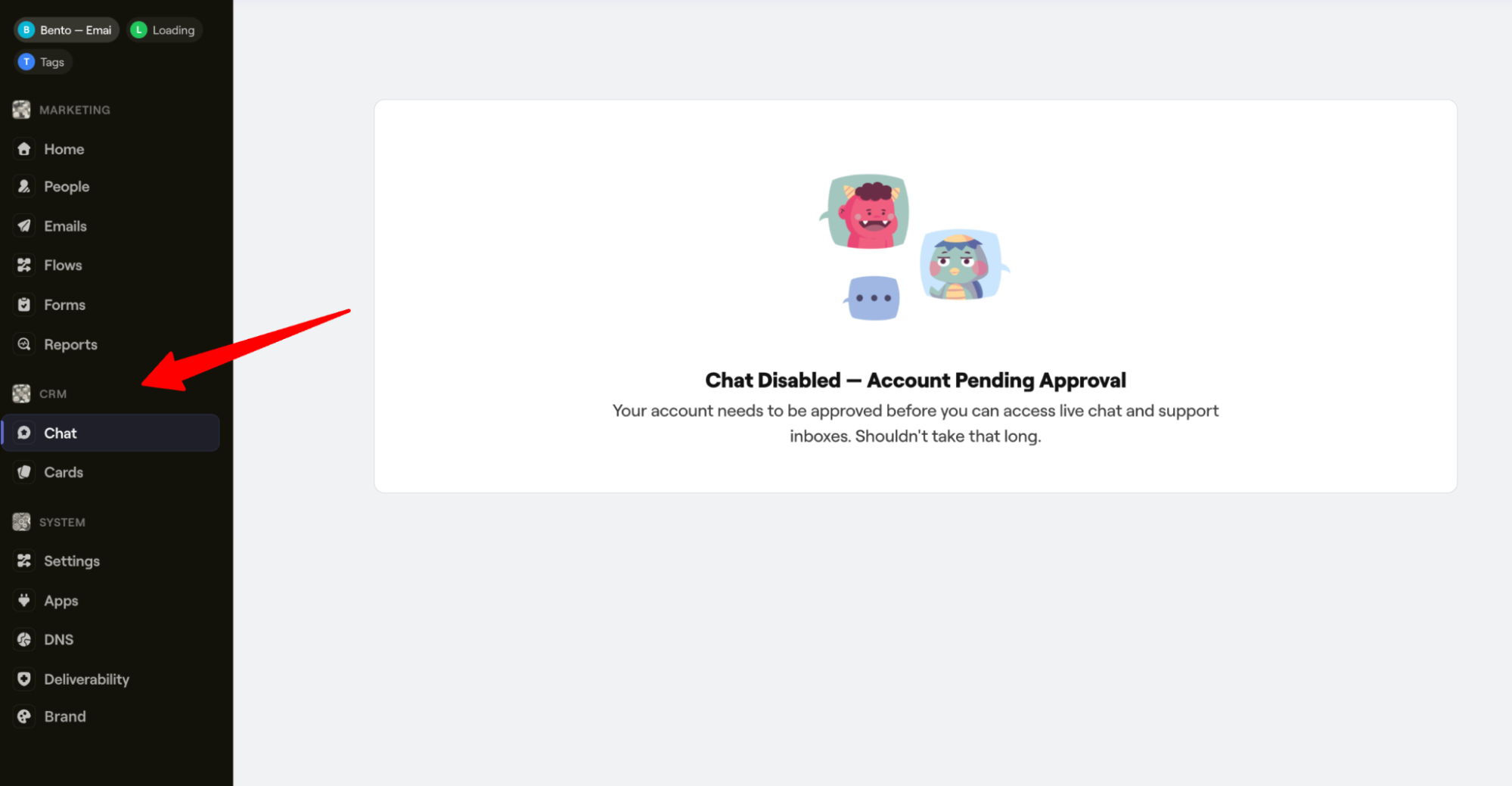 Image via Bento
However, based on the documentation and the available interface, Bento’s CRM appears to be a solid “lite” alternative to industry giants like HubSpot or Salesforce for small businesses.
In short, if you’re already happy with your current CRM, try looking for a standalone email marketing platform instead. Bento will most likely feel redundant in this case. But for a small team looking to consolidate tools, it offers significant value if you’re willing to take on the learning curve.
Bento has a solid contact management system, where each profile shows:
- Basic info (name, email, phone, location)
- Complete event history
- Email engagement (opens, clicks)
- Purchase history (if ecommerce)
- Tags and custom fields
- Automation enrollment status
- Goals completed
- Session recordings (anonymous + identified)
As far as contact organization goes, there are several options to choose from, and once you get the hang of it, it becomes rather convenient. Bento has tools like:
- Card boards (Kanban-style organization) – see the image below
- Manual tagging
- Bulk actions
- Custom fields
- Segments
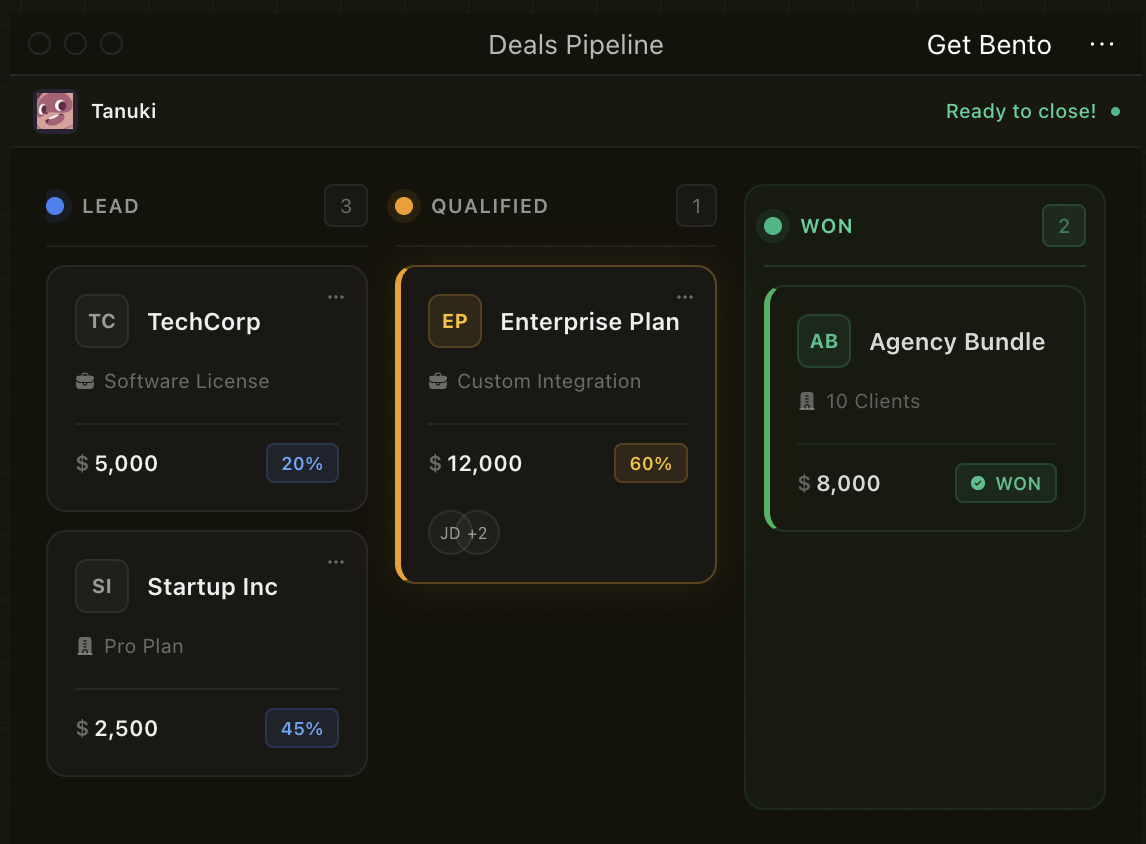 Image via Bento
To sum up, this CRM is best for organizing support tickets, tracking sales leads, managing bug reports, and categorizing customer types.
While it won’t replace Salesforce, it eliminates the need for a separate CRM tool for small businesses.
SMS marketing
In 2026, email is rarely enough on its own. Bento acknowledges this by integrating SMS directly into its core workflow, and it’s treated with the same logic as email.
Key capabilities:
- Send broadcast SMS campaigns
- Include SMS steps in email automation flows
- Trigger SMS based on events (cart abandonment, order status, etc.)
- Combine email + SMS in single workflows
- Track SMS delivery and engagement
When it comes to building SMS campaigns, you have two main approaches:
- Standalone SMS broadcasts. Send one-time messages to segments.
- SMS in automation flows. Mix SMS and email touchpoints in workflows.
For example, you can create an abandoned cart workflow that:
- Sends an email reminder after 1 hour of inactivity.
- If the user still doesn’t buy, Bento sends an SMS 4 hours later.
- If they still don’t convert, it sends a final email with a discount in 24 hours.
Using this multi-channel approach, you use SMS only for urgent nudges, avoiding annoying the user with constant texts. Keep in mind that while SMS may have higher open rates, it’s also more intrusive, which can result not only in higher sales but also in lost contacts.
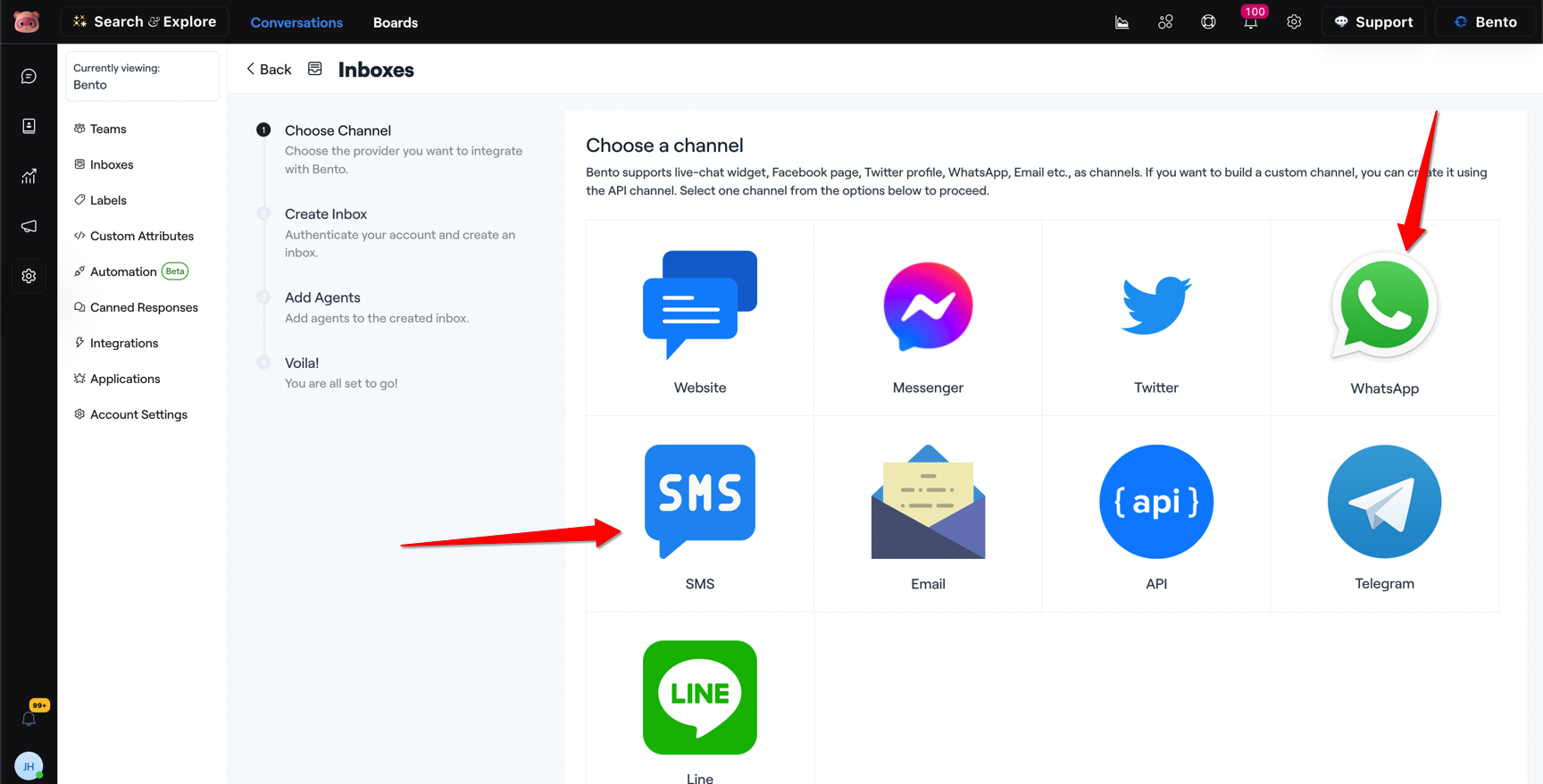 Image via Bento
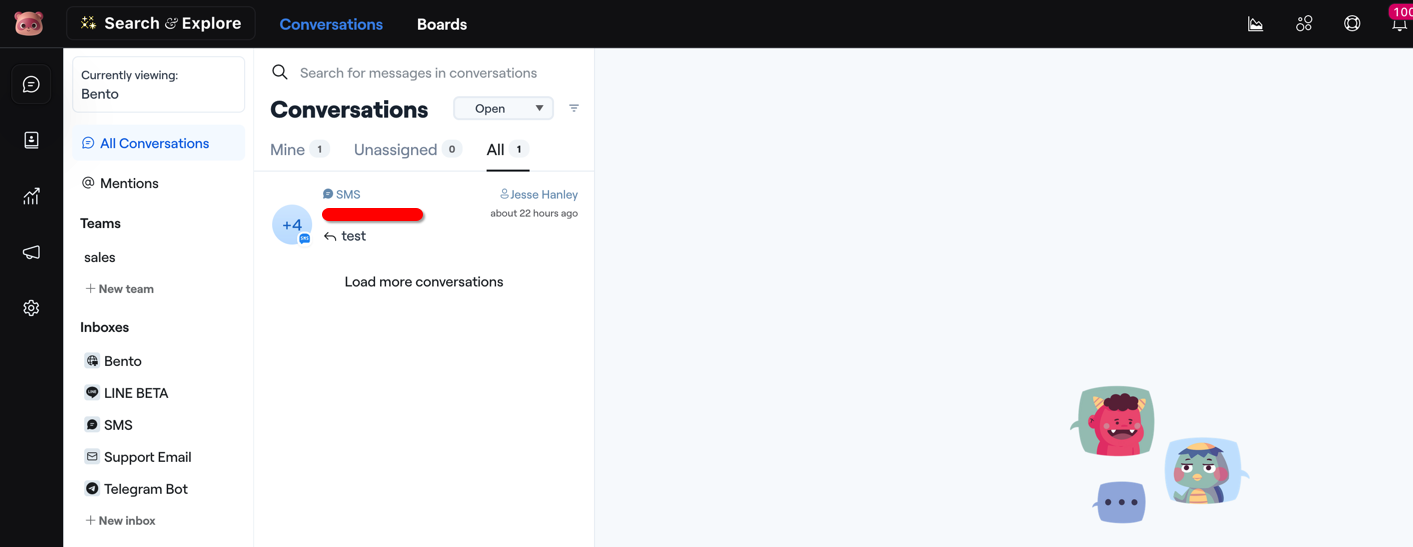 Image via Bento
What integrations does Bento offer?
Since Bento is made for developers, by developers, it makes sense that its approach to integrations is heavily code-dependent. While it integrates with major platforms, it often prioritizes code-based flexibility over one-click plugins.
Here are some developer-focused tools for this:
- Rails SDK
- Node.js SDK
- Laravel SDK
- Raw API access
- Webhooks
If you’re not a developer, you’ll most likely have a difficult time trying to make the integrations work. It’s best to get someone who knows their way around code; otherwise, you’ll be walking blind. You might be tempted to try and write the code using AI tools like ChatGPT, Gemini, or Claude, but it may produce incomplete or outright inaccurate code snippets.
Integrations for SaaS companies
They have SDKs for practically every language (Node, Python, Ruby, Go) and Segment integration so that you can pipe product events directly into email campaigns. It’s perfect if you want behavioral automation based on feature usage.
Integrations for ecommerce
Most must-have integrations are present, but with a small caveat. Connections for Shopify, WooCommerce, and Stripe are often labeled as premium, which means the Bento team sets them up to ensure deep data accuracy.
Once connected, you get abandoned cart flows, post-purchase sequences, and customer segmentation out of the box.
Integrations for automation nerds
If you’re running n8n or Make.com workflows, Bento plugs right in. You can build complex multi-app automations without writing a single line of code.
Integrations for WordPress users
You’re all covered here. There are 7+ plugins available that cover forms, LMS, and store tracking.
The integration game is relatively strong, but there are also some missing pieces:
- SMS/WhatsApp. The SMS feature isn’t truly native, as it only acts as an interface for Twilio. You’ll most likely need your own Twilio account to handle the actual sending infrastructure.
- Integration quantity. While it covers the essentials with 100+ integrations, that number is not as high as those of other email marketing platforms. Omnisend, for example, offers 160+ integrations, and ActiveCampaign – more than 1,000.
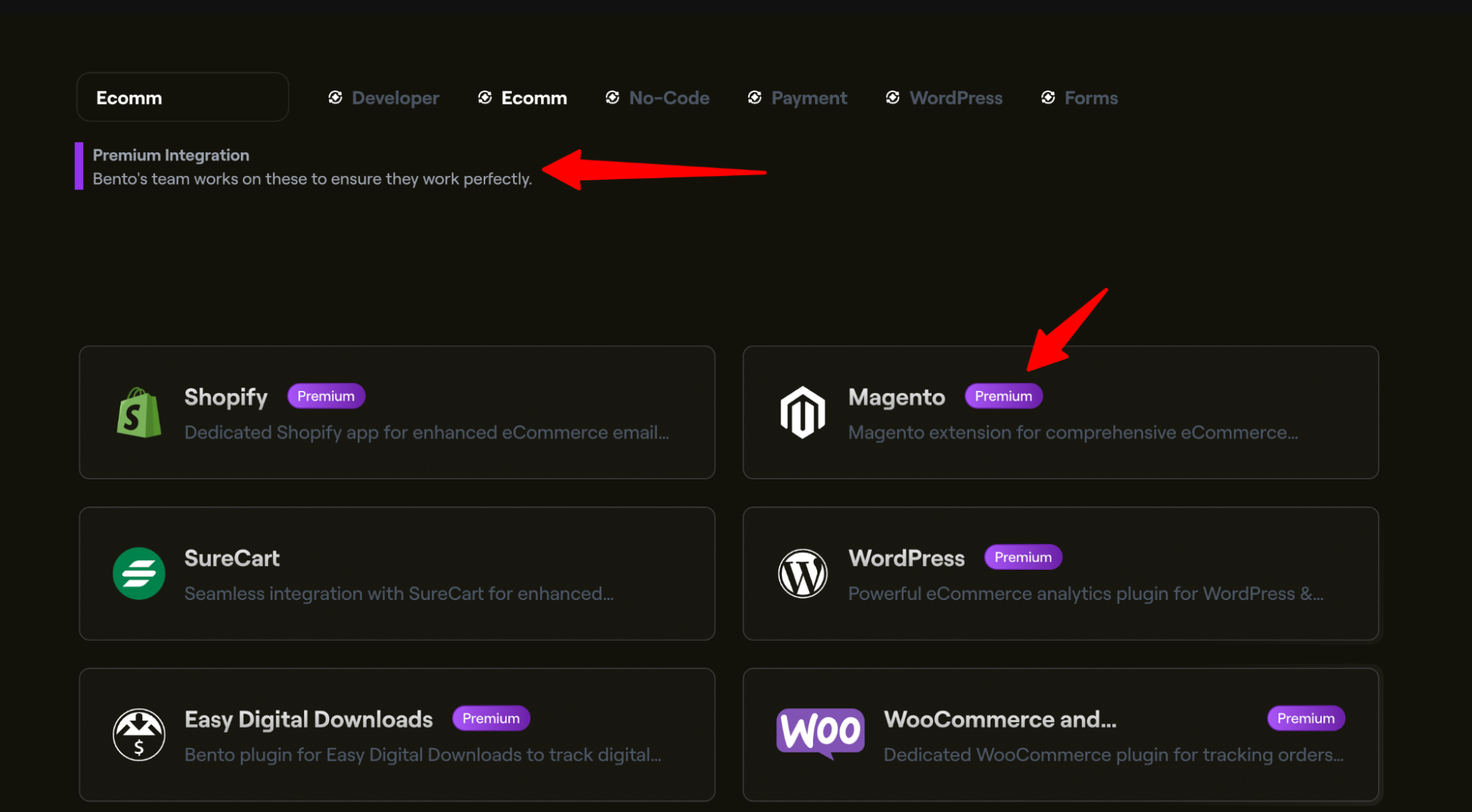 Image via Bento
For example, if you’re not a fan of Bento’s native forms, there are a few other options available. You can easily integrate specialized tools like OptinMonster or Gravity Forms. For everything else, there’s always Zapier.
Customer support
Bento has an unconventional support model. It’s fantastic if you embrace its community-driven, AI-first nature, but it can be frustrating if you expect traditional help like ticketing systems or live chats with humans.
Tanuki AI assistant
That’s the undisputed first line of support. You can ask anything platform-related and get an answer immediately. What’s more, it doesn’t answer like your typical AI support agent, where you need to demand to talk to a human agent. It’s about time someone made an AI assistant that actually helps you understand the platform and its complexities.
Here are Tanuki’s main capabilities:
- Answers questions instantly (24/7)
- Navigates to relevant pages
- Helps build automations
- Explains features
- Troubleshoots common issues
Honestly, the learning curve would be pretty steep without this assistant, especially for non-tech-savvy users.
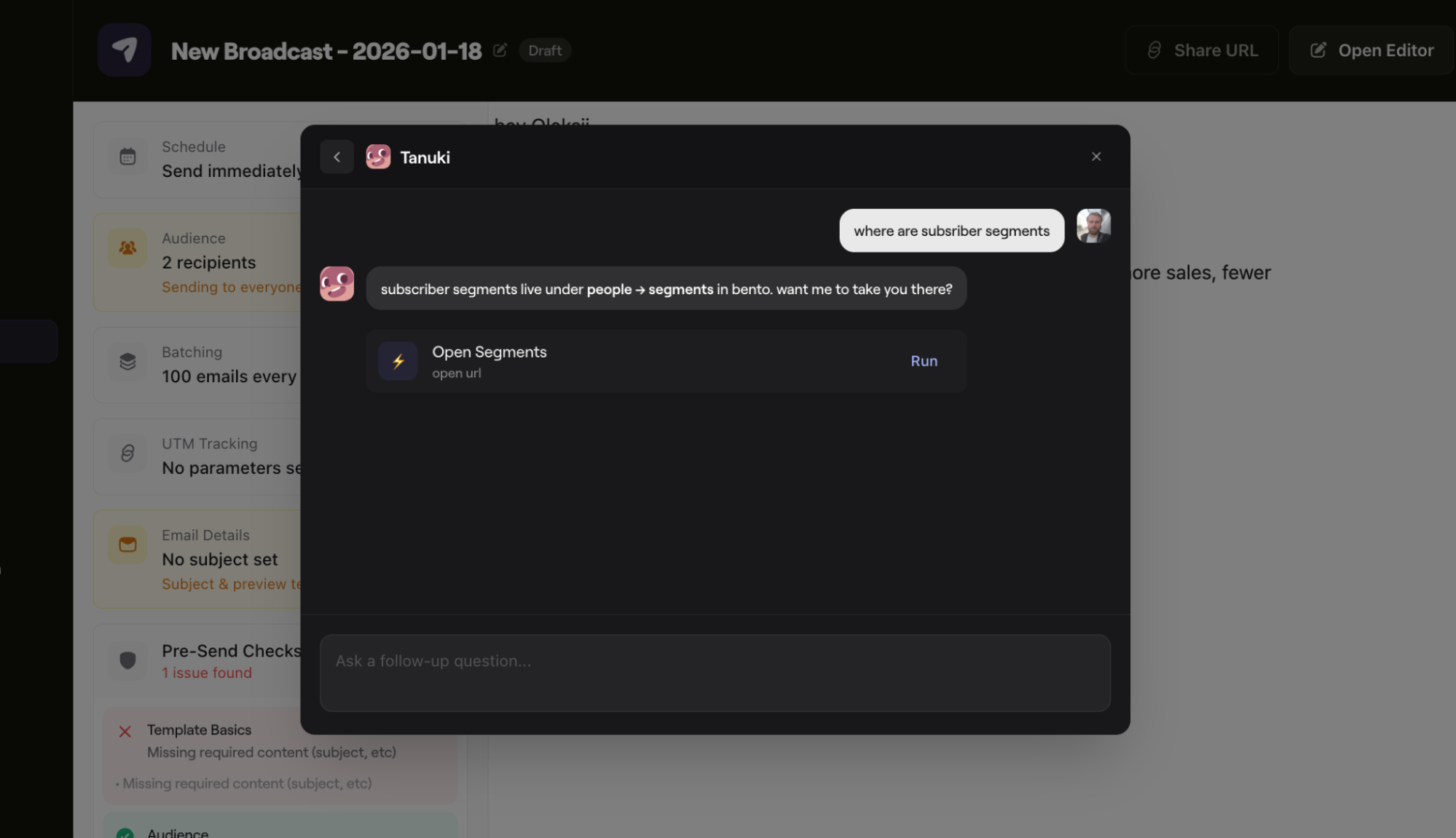 Image via Bento
It’s not perfect, however. A couple of times, I asked Tanuki to navigate me to a specific page. It cheerfully replies “Done!” and then proceeds to do absolutely nothing. It’s an impressive tool, but, like all AI, it has its moments where it hallucinates success.
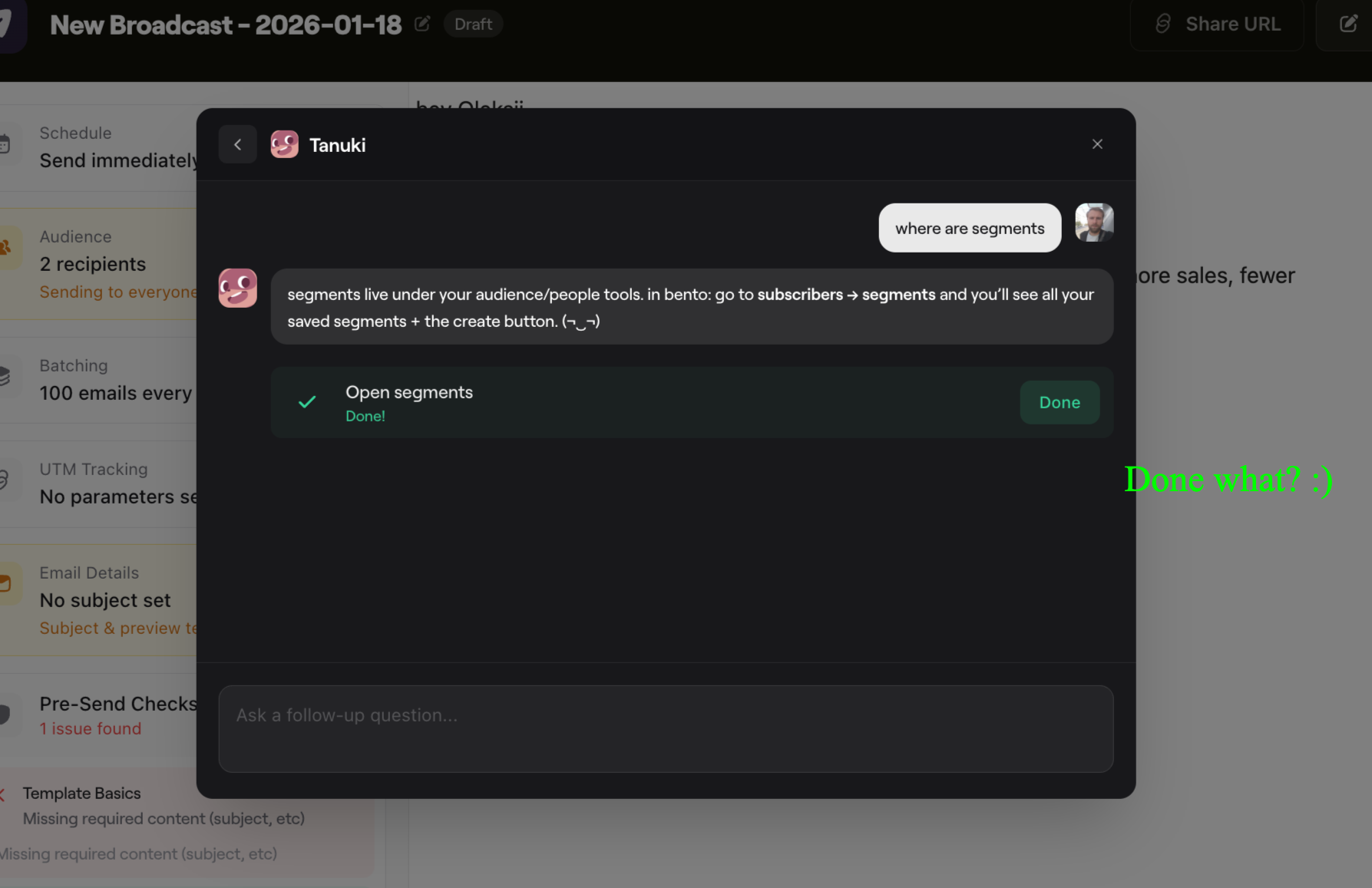 Image via Bento
Automated emails from support
Support in Bento is surprisingly proactive. With such a capable AI assistant, you’d think they wouldn’t bother, but they do. Within just a few hours of signing up, I received four emails: one was from Jesse, the founder, and the rest came from Anja on the support/approval team.
They let me know about my setup progress, pointed out some mistakes I had made during, and have onboarding recommendations. This actually was a nice touch, and I appreciated it. If you make an error and leave the app, these emails serve as a helpful nudge and a tutorial on how to fix it.
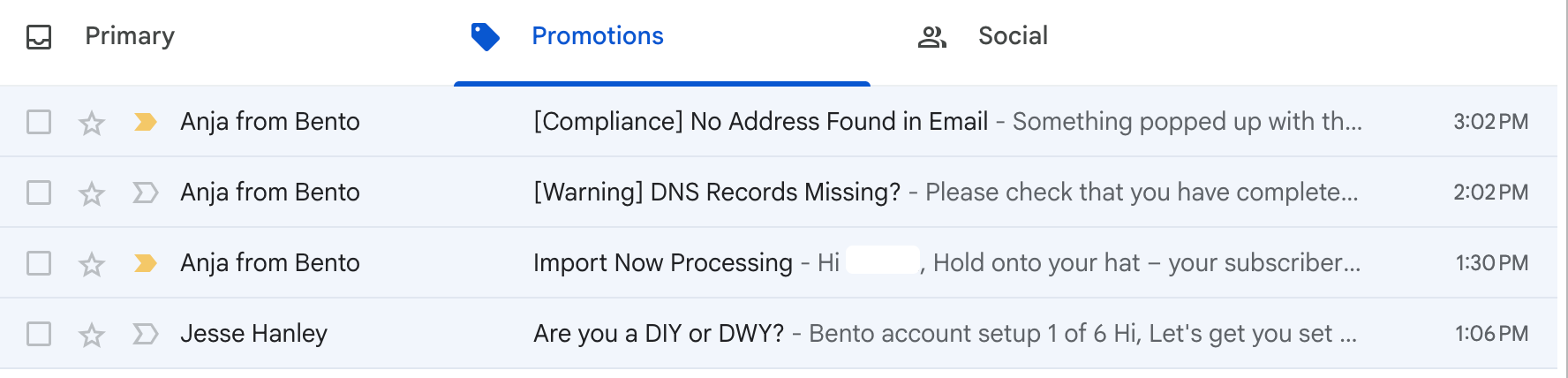 Image via Gmail
Knowledge base quality
The documentation covers everything you need to know, but it definitely leans into the developer aesthetic. I struggled to find help center articles that included actual screenshots of the product. Instead, most articles are text-heavy or full of code snippets.
If you’re a developer, you’ll probably love the precision. But if you’re a visual learner and want image or video content, you might find the lack of step-by-step tutorials challenging.
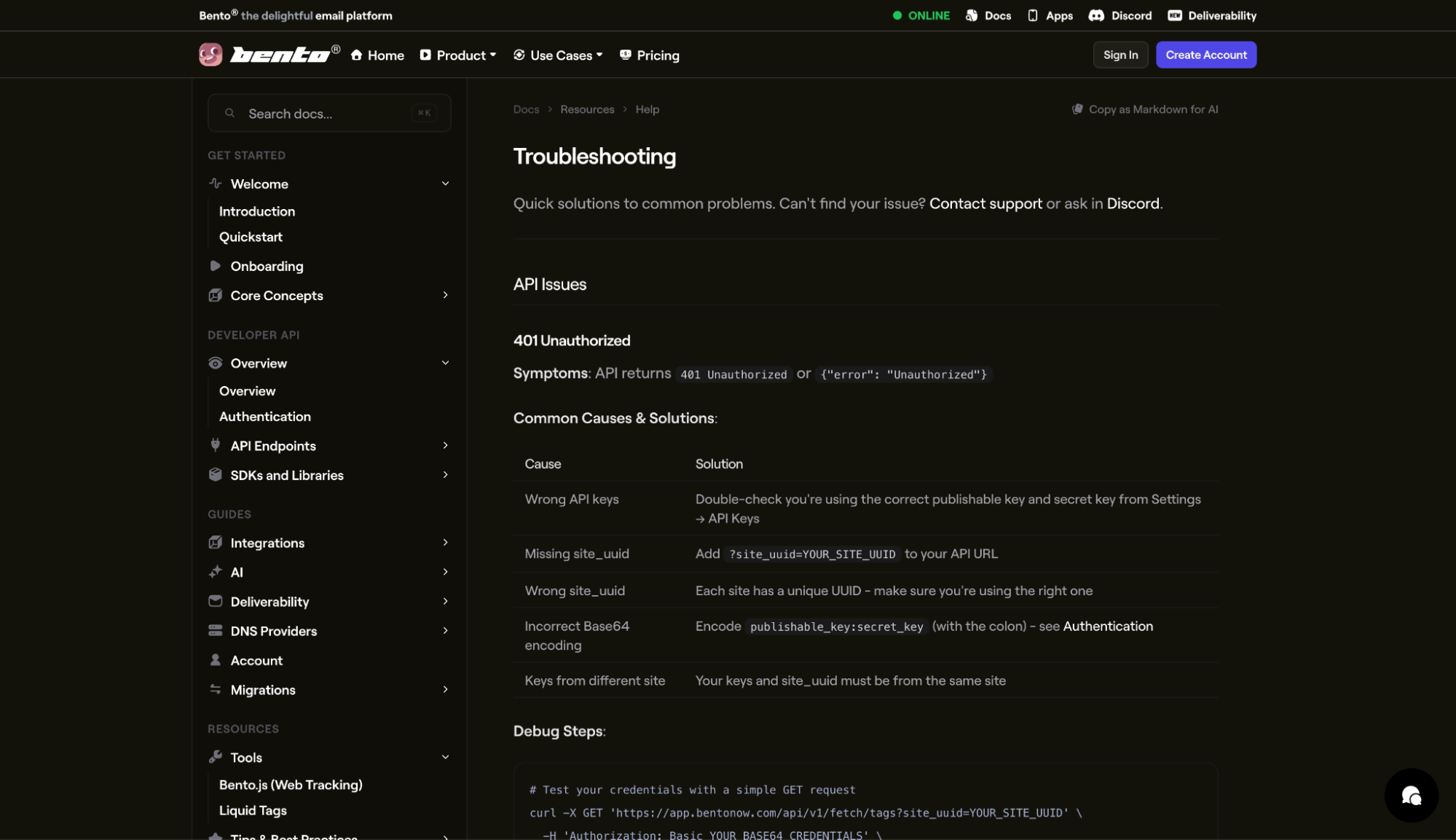 Image via Bento
Discord community
You could say Discord is the heart of Bento’s support ecosystem. Instead of a help desk, you get an entire community that’s buzzing with activity. Even the founder himself, Jesse, frequently responds to questions personally. Aside from that, other users also often jump in to share their solutions.
Pros:
- Responses are often faster than traditional support tickets.
- Multiple people can weigh in.
- You learn from others’ questions.
- Direct founder access.
Cons:
- Not private (everyone sees your questions).
- Requires joining Discord.
- Time zone dependent for live help.
- Not suitable for sensitive issues.
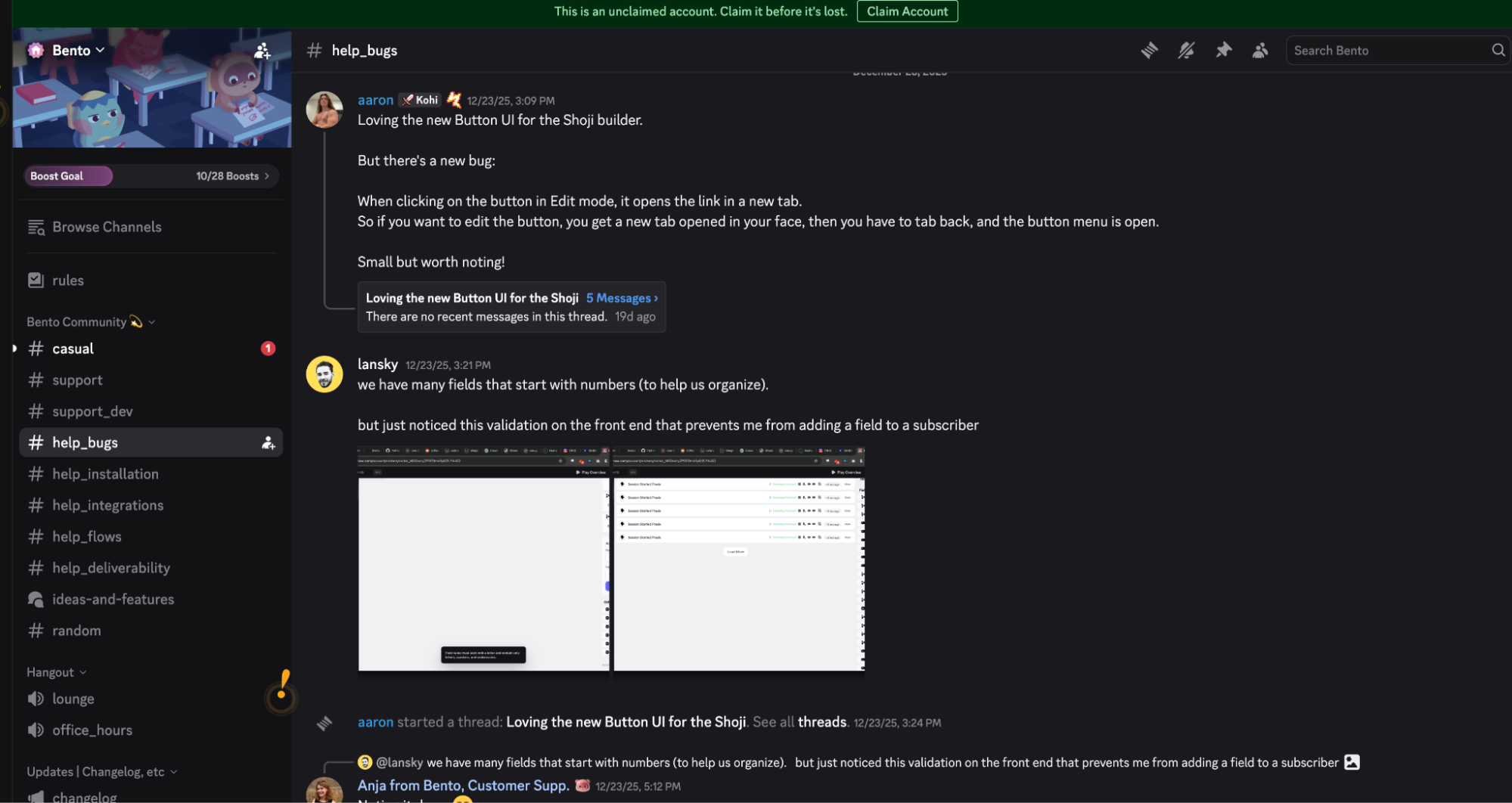 Image via Discord
How does Bento compare to alternatives
Bento has a unique standpoint against alternatives. It’s similar in terms of what you achieve, but it’s drastically different in terms of how you achieve it. Still, choosing a platform often comes down to three main things: price, technical flexibility, and ease of use.
Here’s a quick comparison table:
Bento vs. Klaviyo
Everyone knows Klaviyo is one of the most popular and widely used email marketing tools in the market. But only some people know that Bento offers similar power for a fraction of the price.
Where Bento wins:
- Significantly cheaper (roughly half the cost).
- More straightforward pricing (no tier confusion).
- Includes transactional email (Klaviyo charges extra).
- More personal support (founder involvement).
- AI automation builder.
Where Klaviyo wins:
- More native integrations.
- Larger template library.
- More ecommerce-specific features.
- Better for teams over 100K subscribers.
Best for: Klaviyo is best for an enterprise-level ecommerce business that needs the extended functionality; Brento is best if you want similar power at a much lower cost.
Bento vs. Omnisend
Omnisend is a solid and affordable tool that offers a very fast time-to-launch. It comes with a library of prebuilt automations and templates, so all you need to do is adjust. The most significant contrast here is between Omnisend’s ease of use and Bento’s flexibility.
Where Bento wins:
- AI automation builder (Tanuki).
- More flexibility for SaaS/non-ecommerce.
Where Omnisend wins:
- More ecommerce-specific templates (150+ pre-built).
- Better pre-built automation workflows.
- Free plan available (up to 250 contacts).
- More polished UI/more manageable for beginners.
- Better Shopify integration out of the box.
- 24/7 traditional customer support on all plans.
Pricing comparison:
- Omnisend. Free (250 contacts) → $16/mo (500 contacts) → scales with contacts + email sends.
- Bento. No free plan → $30/mo (up to 3,000 contacts) → $0.01 per contact thereafter.
Bento is more cost-effective once you reach 5,000+ subscribers.
Best for: Omnisend for pure-play ecommerce stores wanting simplicity; Bento for SaaS or tech-savvy ecommerce merchants wanting flexibility.
Bento vs. Mailchimp
Mailchimp is the safe, default choice for most beginners. But many users eventually hit a ceiling with its automation capabilities and steep price rises.
Where Bento wins:
- Unlimited email sends.
- More advanced automation.
- Event-based triggers.
- Better deliverability infrastructure.
- Transparent pricing.
Where Mailchimp wins:
- Free plan available.
- More manageable for complete beginners.
- More templates.
- Better known (more tutorials available).
- Traditional support structure.
Best for: Choose Mailchimp if you’re just starting and need a simple newsletter tool; switch to Bento when you’re ready to graduate to a more serious, behavior-driven automation platform.
Final thoughts
The acquaintance with Bento is not all positive, but the benefits far outweigh the disadvantages. Considering that some of my negative feedback was subjective (UI nitpicks, for example), it may not be the case for you at all. The AI assistant, while not perfect, is an absolute game-changer that highly impacts my rating. Without it, I’m pretty sure the platform would be unusable for the typical marketer.
Having said that, I give Bento an overall rating of 4.2/5.
Rating breakdown
- Features: 4.5/5 (comprehensive, powerful)
- Ease of use: 3.0/5 (steep learning curve)
- Pricing: 4.0/5 (fair for small-mid, expensive at scale)
- Support: 4.0/5 (unconventional but effective)
- Deliverability: 4.5/5 (excellent infrastructure)
Who should choose Bento
As stated in the beginning, it’s not a platform everyone can use. It takes some technical know-how and the will to adapt.
Ideal candidates:
- SaaS companies needing lifecycle email automation.
- Technical marketers who want granular control.
- Businesses sending both marketing + transactional email.
- Teams comfortable with Discord communities.
- Anyone who values founder-led companies.
- Marketers who willing to invest time learning in exchange for power.
Deal-breakers:
- You need traditional customer support.
- You want a plug-and-play setup.
- Your list exceeds 100K subscribers (gets expensive).
- You need extensive pre-built ecommerce templates.
- You lack any technical resources.
Our team strives to be accurate and unbiased in reviewing email tools. However, we recognize that mistakes can happen, and it’s essential for us to stay up to date. If you come across any errors or things that need to be reviewed again, please let us know.



This is an interesting point worth considering. 소액결제현금화 It’s always helpful to see different perspectives on subjects like this. Thanks for sharing your thoughts.
This is an interesting topic that I hadn’t thought about in quite that way before. It’s always helpful to see different perspectives on things. 소액결제 현금화 Thanks for sharing this.
Thanks for sharing this. I found it interesting to read through your thoughts on this topic. See more information Looking forward to seeing what you write about next.
This is an interesting perspective on the topic. I appreciate how you’ve laid out the different angles here. Click here for details Thanks for sharing this with us.
This is an interesting perspective to consider. There are quite a few different angles to think about with this topic. 소액결제 현금화 5분입금 Thanks for sharing your thoughts!